For arlanix/notification 1.0.0
An email subscription sends a topic's messages to one email address. How every email goes is set once, for the store.
Open the settings
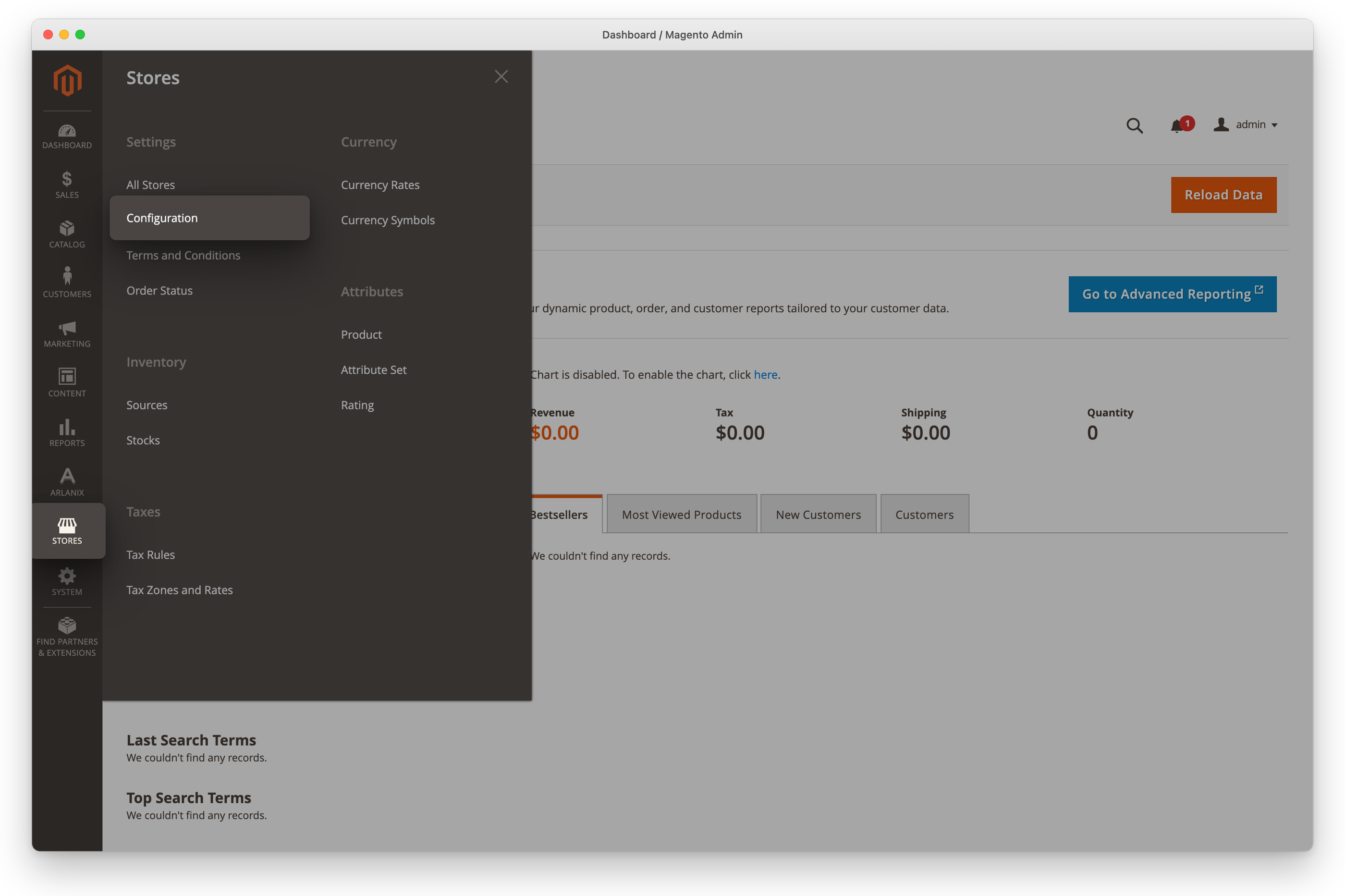
Click Stores in the admin's menu, then Configuration under Settings.
In the list on the left, click Arlanix, then Notifications, and open the Email group on the page.
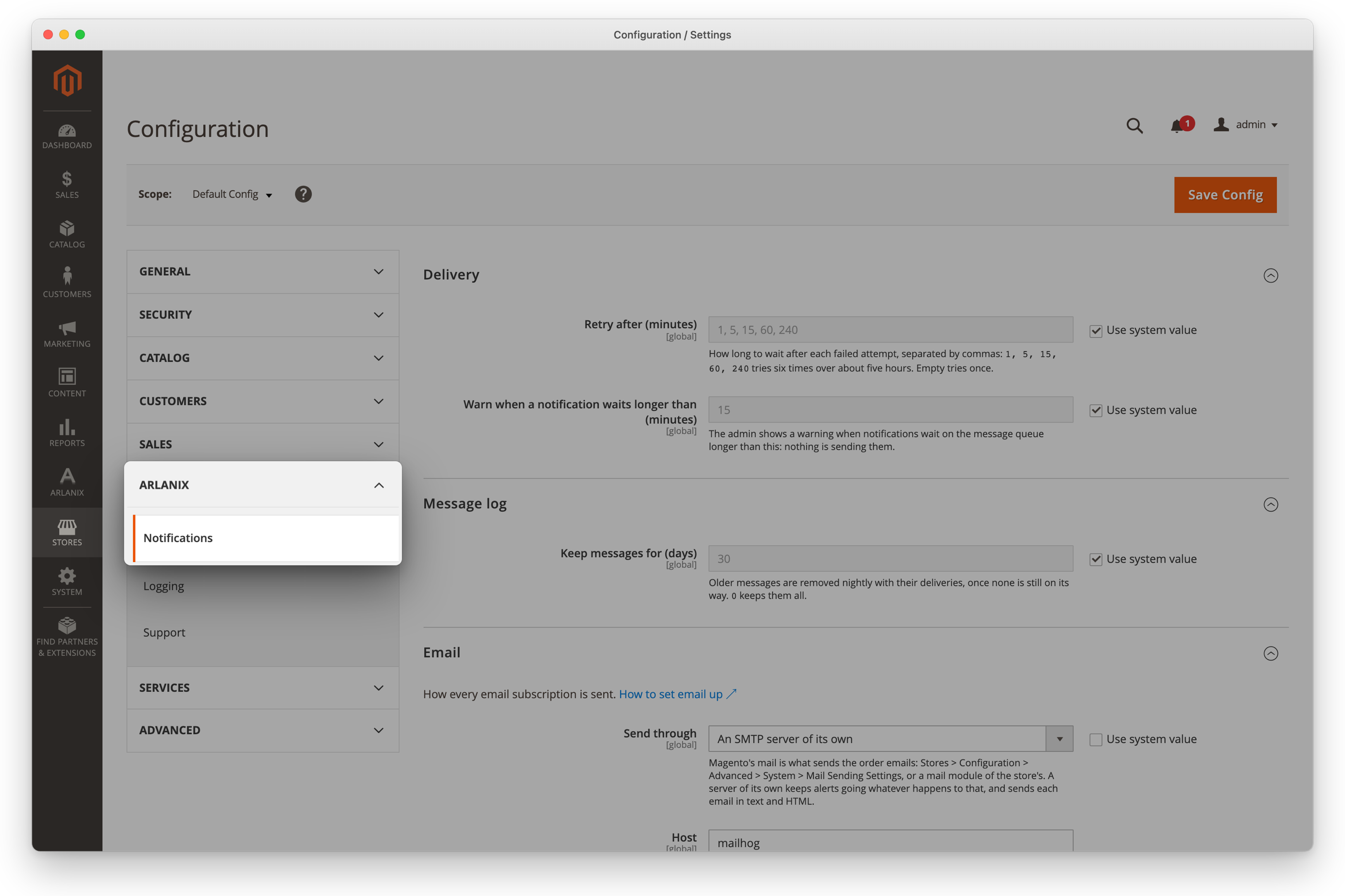
How they are sent
Send through says how:
- Magento's mail, the default: the same way the store sends order confirmations, as Stores > Configuration > Advanced > System > Mail Sending Settings say, or a mail module of the store's. Nothing else to set up: if the store's emails arrive, notifications do.
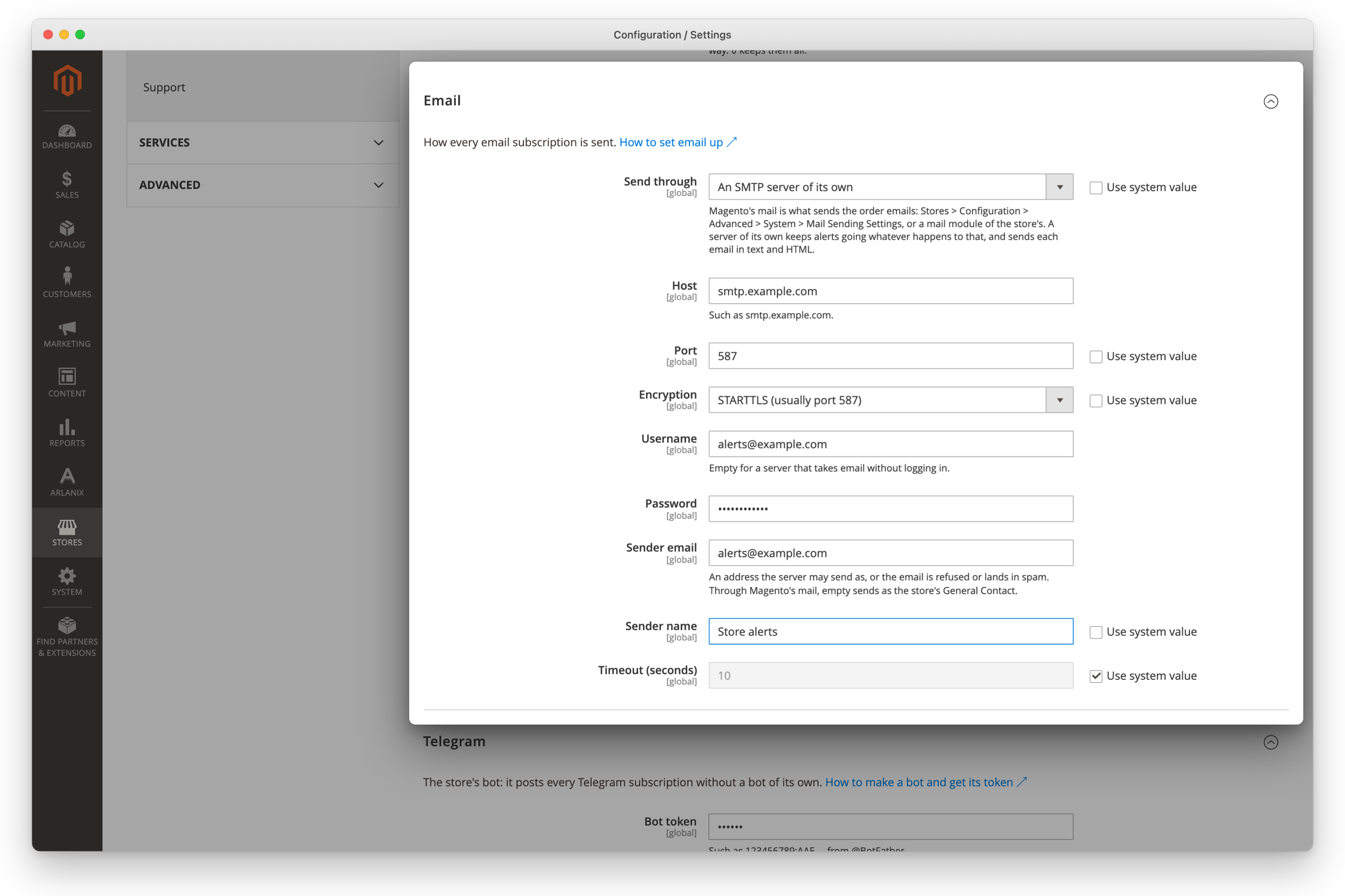
- An SMTP server of its own: a server for notifications alone, such as your company's mail server or a service like Amazon SES, Mailgun or Postmark. Alerts then go out whatever happens to the store's own mail, and each email has a plain-text version too. Its host, port, encryption and login appear when you choose it; your developer usually fills them in: see Email.
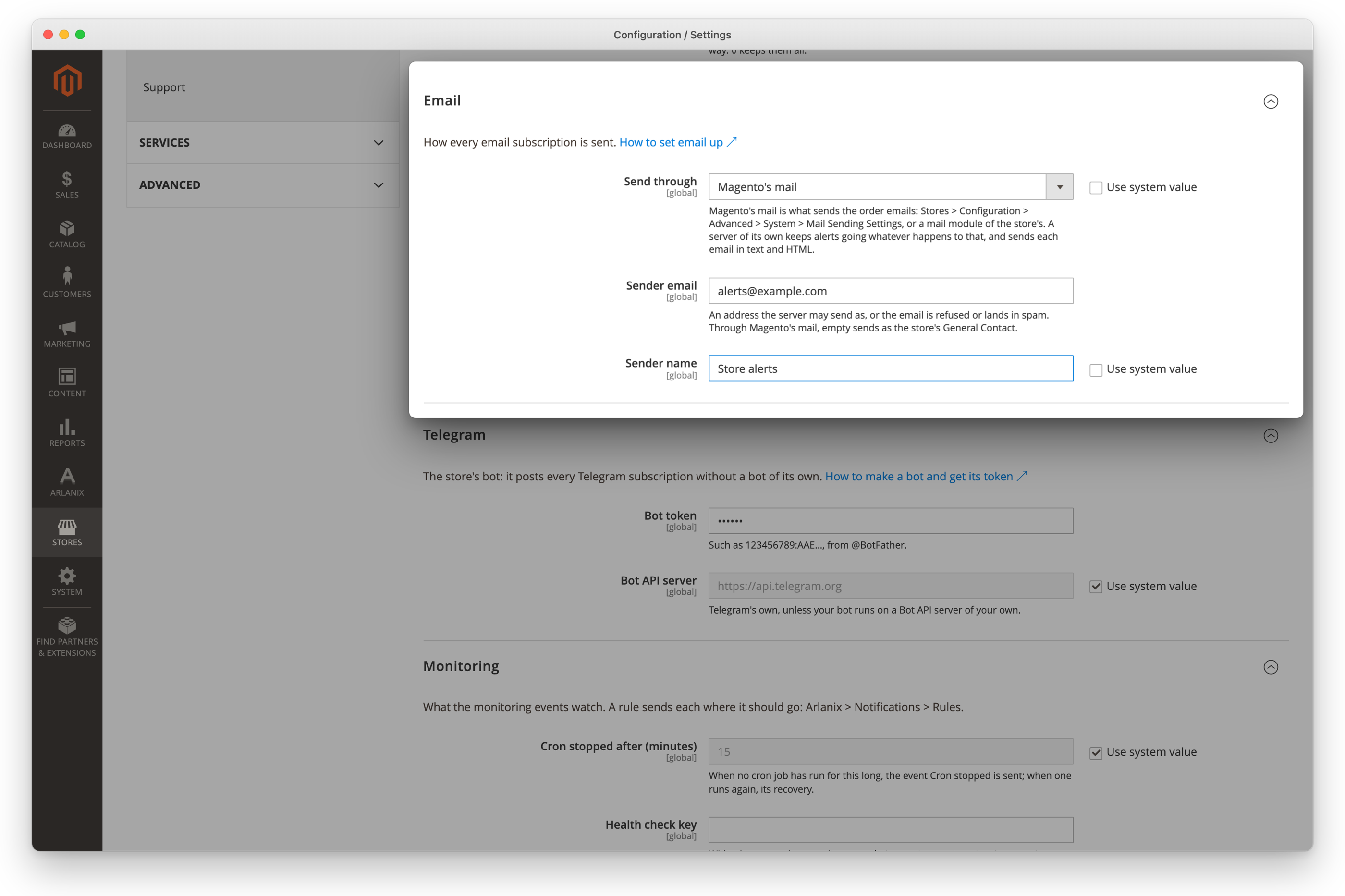
To keep Magento's mail: leave Send through on Magento's mail, fill in the sender or leave it as it is, and click Save Config.
Sender email and Sender name are who the notifications come from. Through Magento's mail, an empty Sender email sends as the store's General Contact (Stores > Configuration > General > Store Email Addresses), under the General Contact's name too: Sender name counts only with a Sender email. To send as Store alerts, enter both, such as [email protected] and Store alerts. Use an address the mail server may send as, or the emails land in spam.
For a server of its own: choose Send through An SMTP server of its own, and fill in what its provider gives, such as Host smtp.example.com, Port 587, Encryption STARTTLS, Username [email protected] and its Password, then the sender, such as [email protected] and Store alerts. Click Save Config.
Nothing is sent by email while Magento's Disable Email Communications is on, or, with a server of its own, while its Host or Sender email is empty: a subscription's form says so when it is saved, and the Message Log shows the deliveries waiting to be tried again, and Failed after the last attempt: see When a delivery fails.
The address
An email subscription has one Email address. Upper and lower case make no difference: [email protected] and [email protected] are the same mailbox, so a topic takes only one subscription to it.
The emails
- A notification: the subject is the message's, after its severity: [ERROR] Feed google-us failed. The text, the facts the event adds (such as the feed), the topic, who published it and when follow.
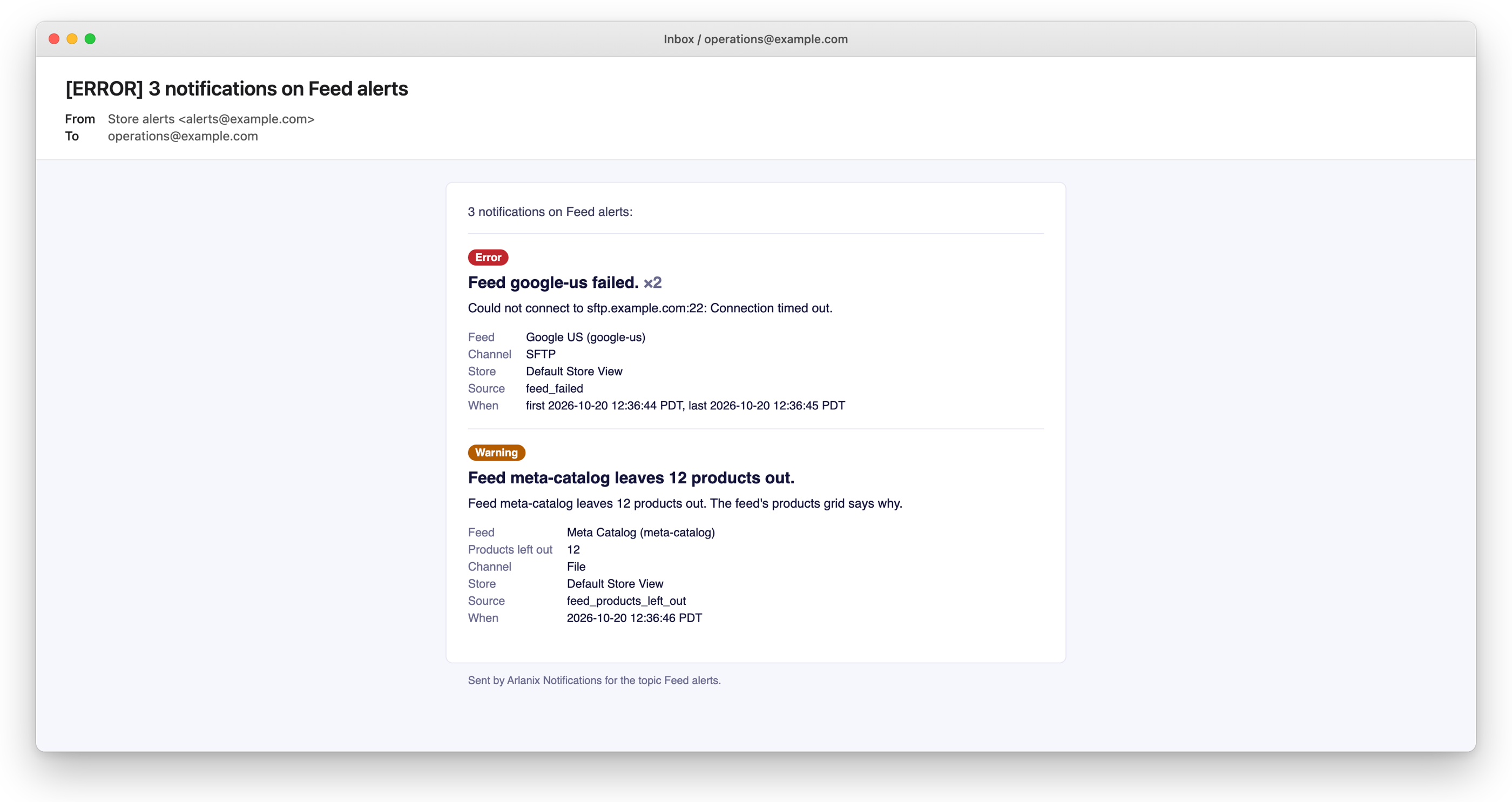
- A digest: when several messages wait for the same address, one email carries them, up to 25 different messages, a message repeated counted once, and more go in the next email: [ERROR] 12 notifications on Feed alerts, the worst severity first in the subject, each message numbered, the same one repeated shown once with how many times it came.
Through a server of its own, every email is marked as sent by a machine, so an out-of-office reply does not answer it. Magento's mail sends the email as it sends its own, without that mark.