For arlanix/notification 1.0.0
Discord
A Discord subscription posts a topic's messages to one channel, through a webhook: an address Discord makes for that channel. It comes with arlanix/module-notification-discord, which your developer installs. Nothing is set up in the configuration: each subscription brings its own webhook.
1. Make a webhook
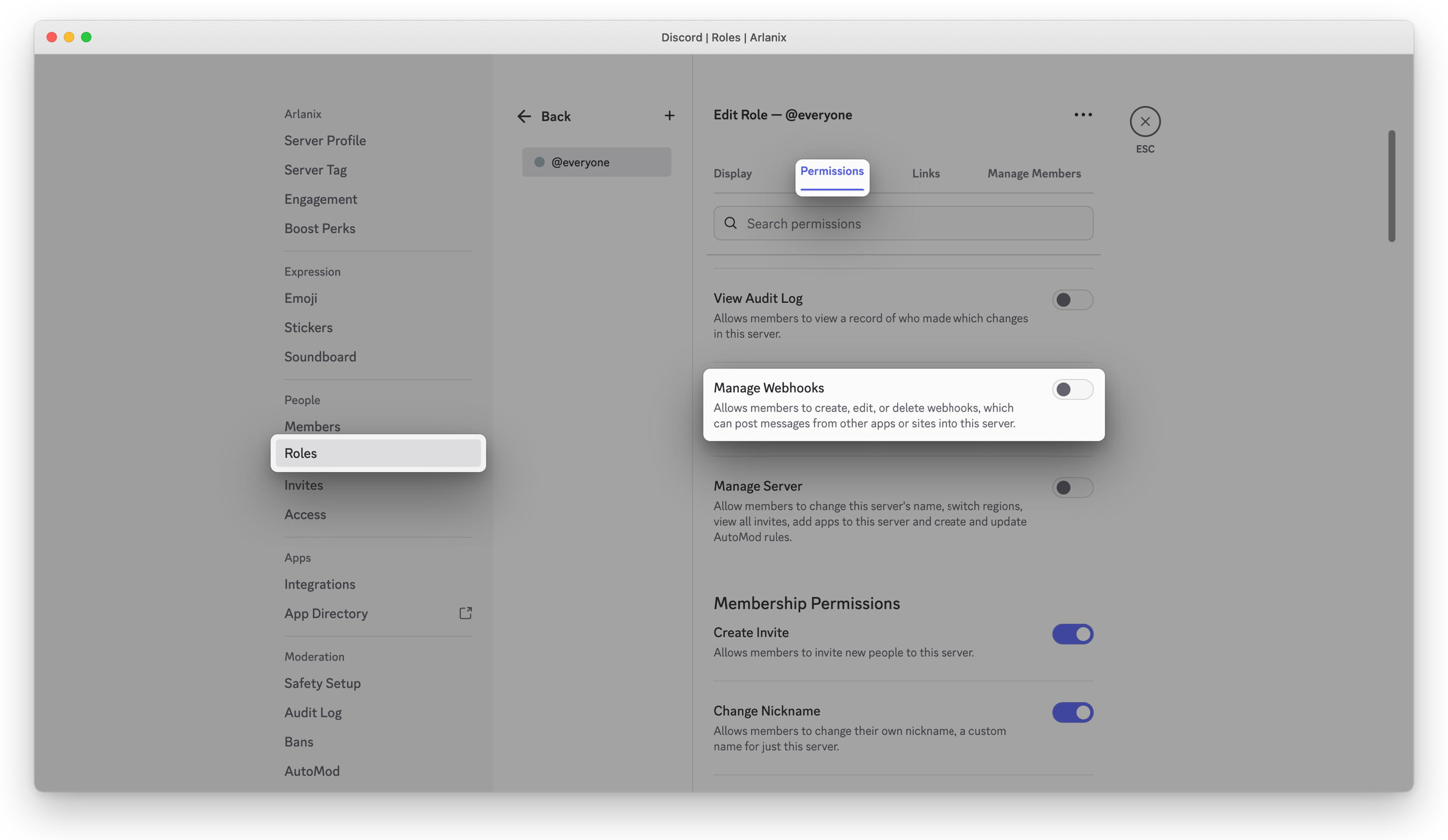
Making a webhook takes the Manage Webhooks permission. The server's owner has it. If you don't, ask the owner, or an admin, for a role that has it: in Server Settings > Roles, they open the role, then Permissions, switch Manage Webhooks on, and give you the role. Or ask them to make the webhook, as below, and give you its URL.
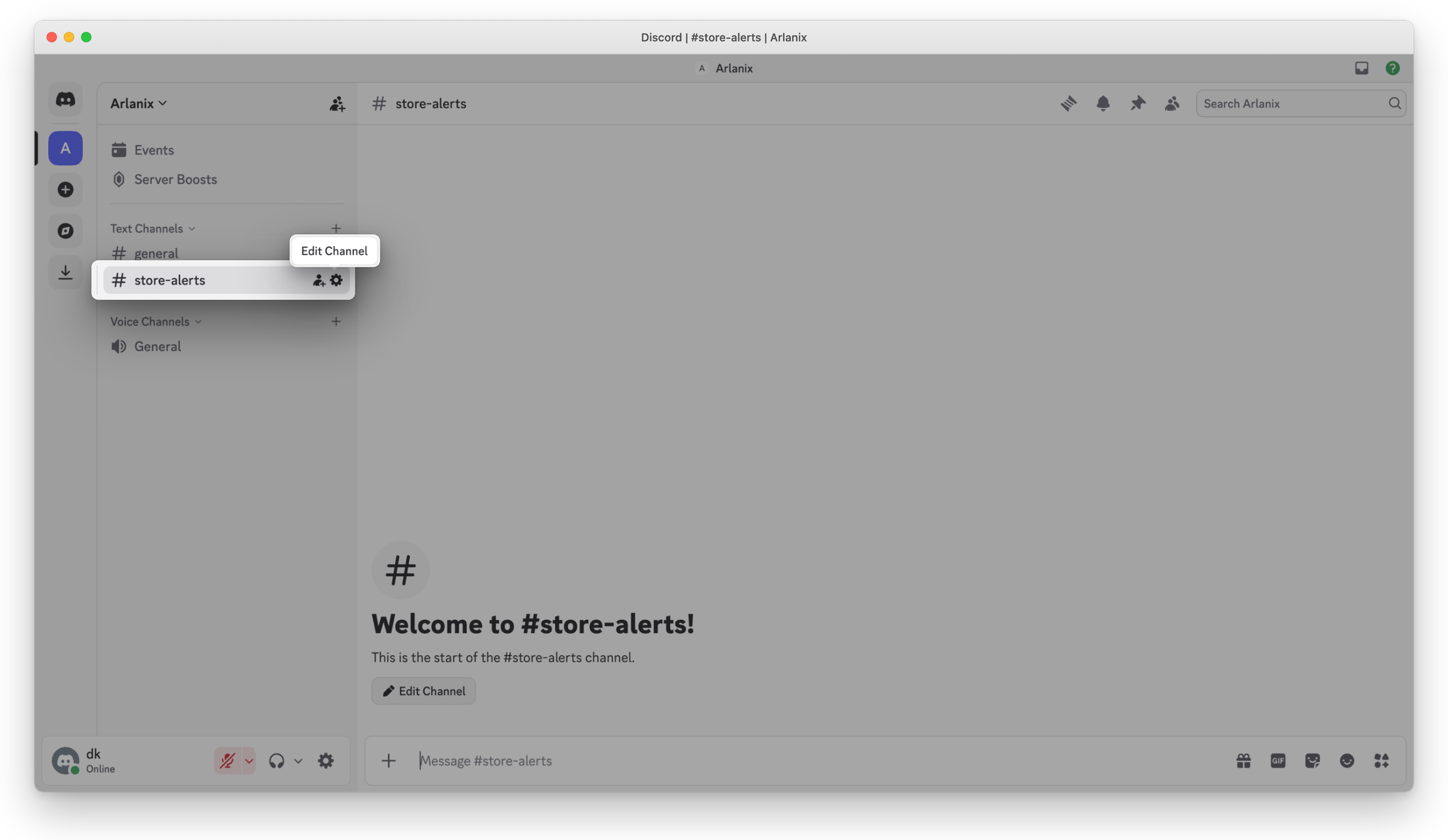
In Discord, on the server, hover over the channel, such as #store-alerts, and click the gear: Edit Channel.
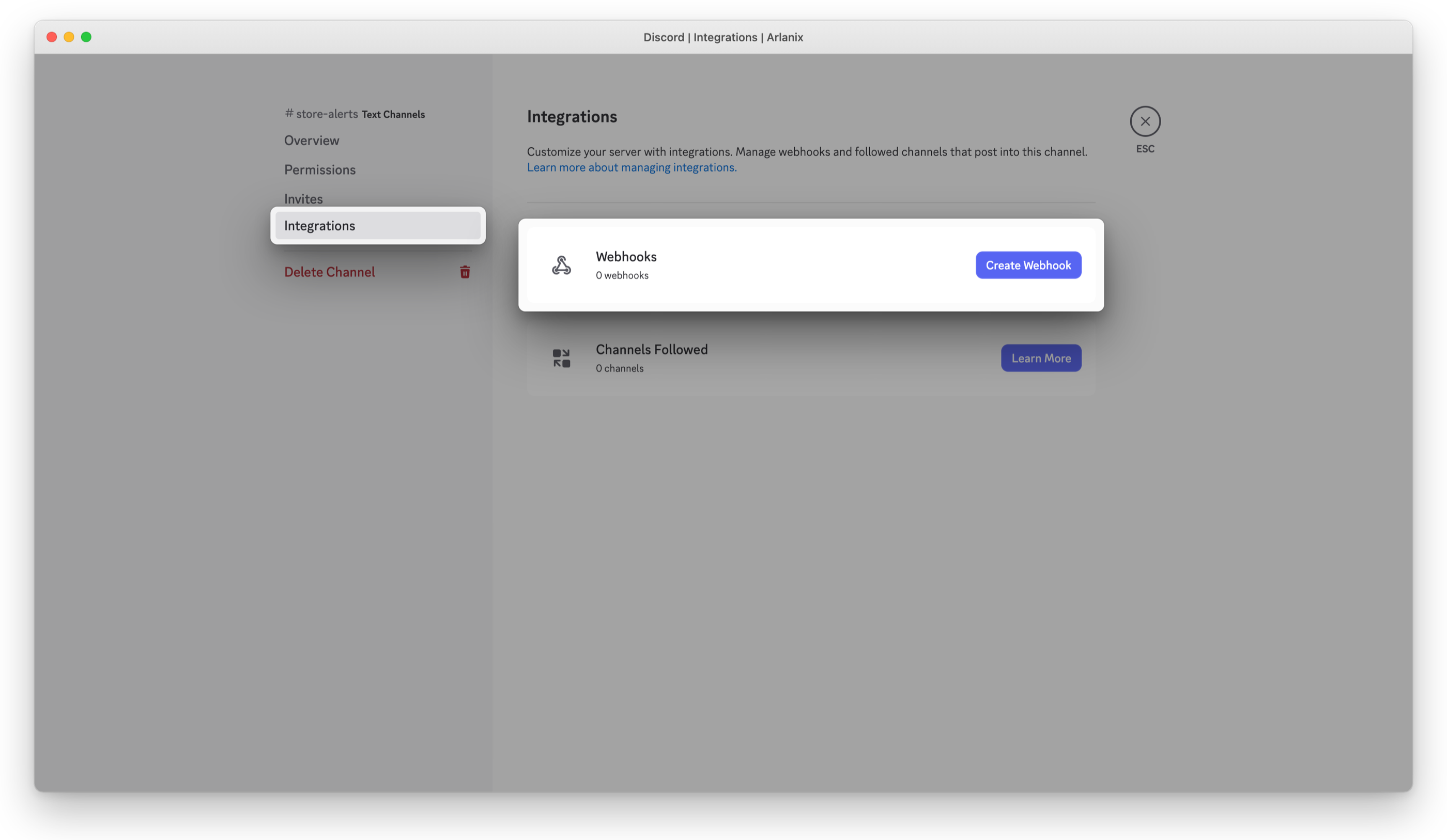
Open Integrations and click Create Webhook. A channel that has webhooks already shows Webhooks instead: open it and click New Webhook.
Discord makes the webhook at once, with a name of its own, such as Spidey Bot. Rename it, such as Store alerts: the messages come from that name. Click Save Changes, then Copy Webhook URL:
https://discord.com/api/webhooks/…. Keep it like a password: whoever has it can post to the channel.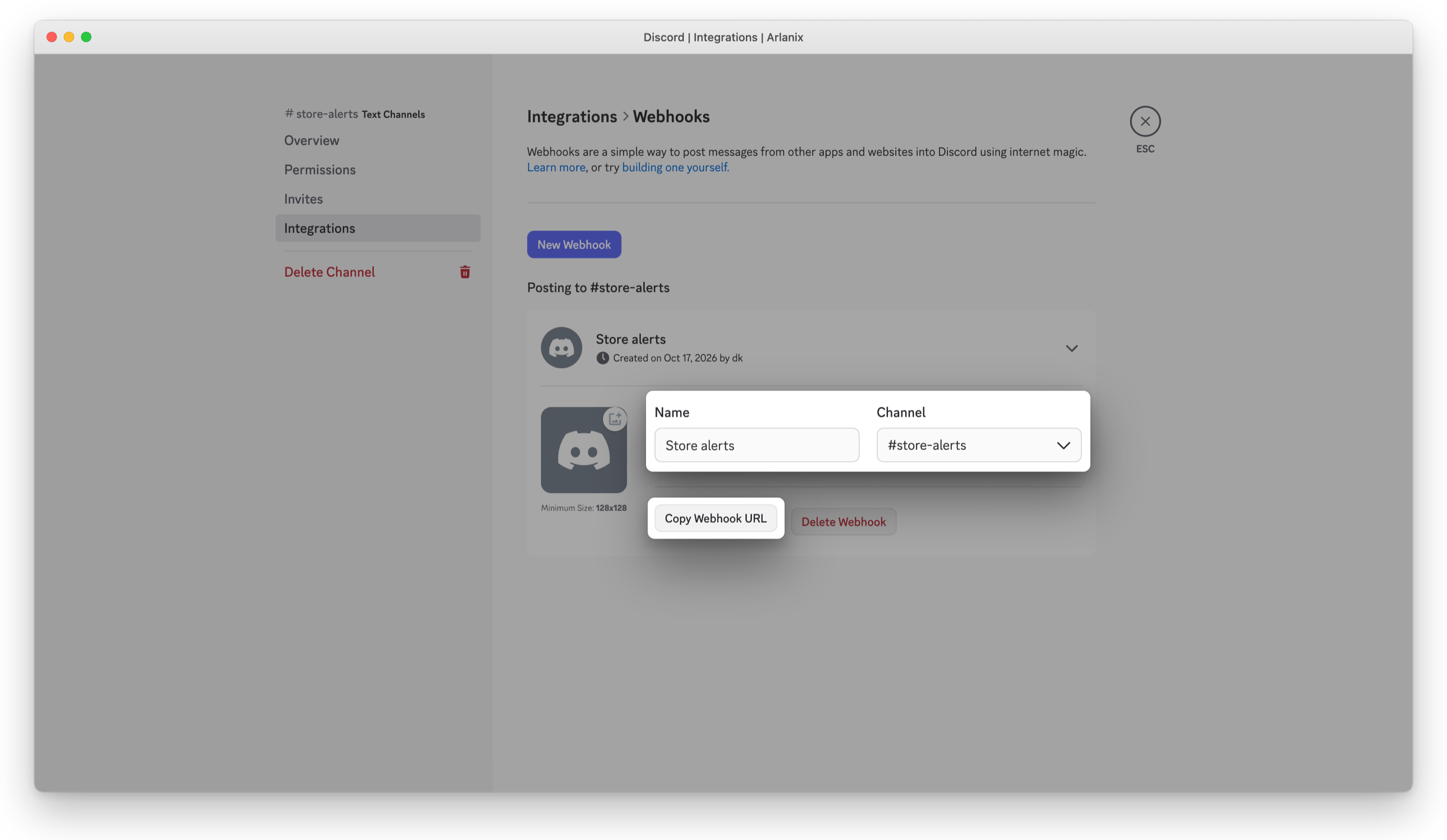
2. Subscribe the channel
Add a subscription, on the topic's page or in Subscriptions: see Subscriptions. Under Delivery, choose Delivered by Discord.
Paste the Webhook URL. It is stored encrypted, and never shown again.
Enter the Channel, such as #store-alerts: the grid and the Message Log show it, as they never show the webhook.
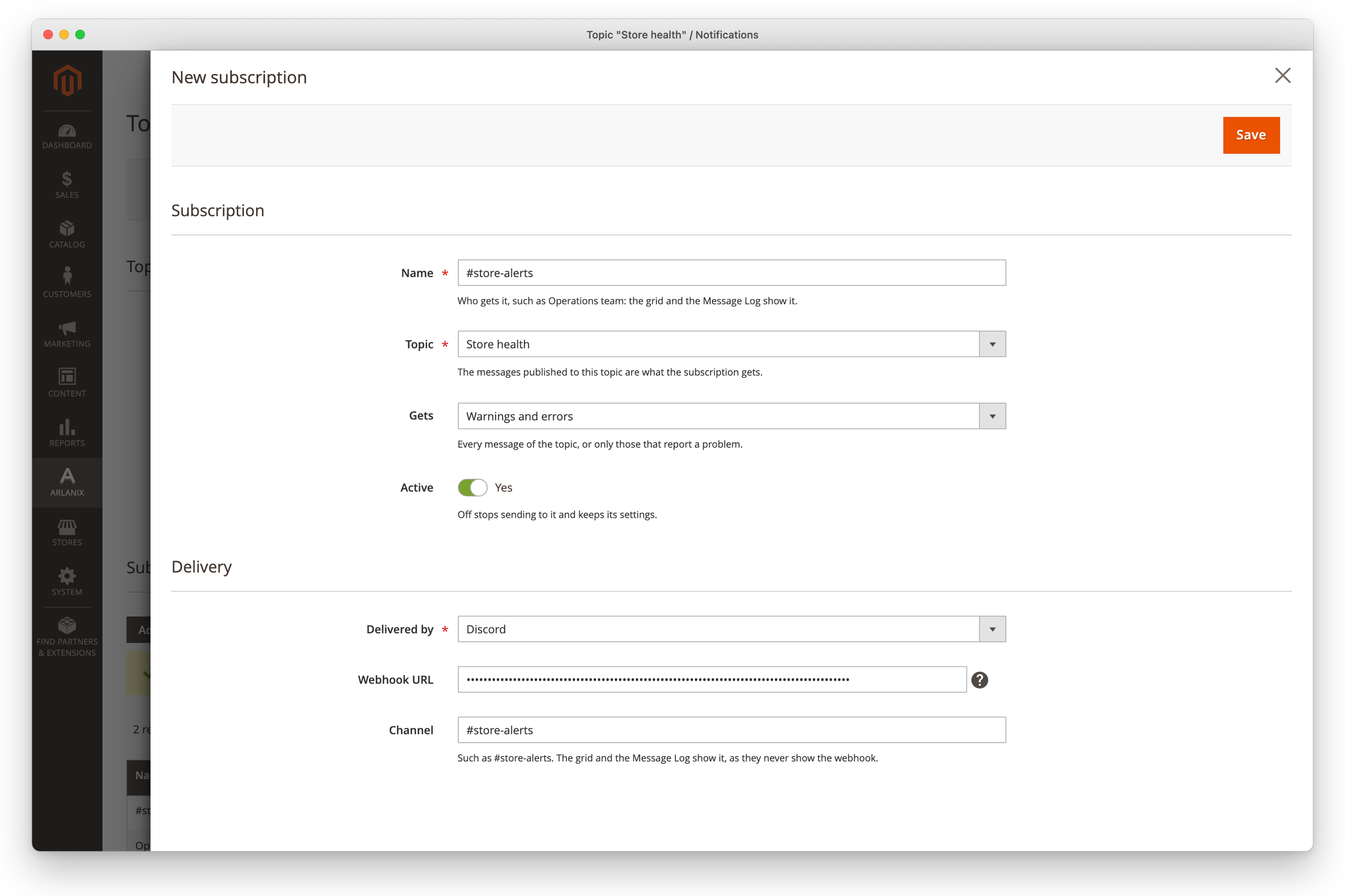
Save, then Send test message: the test arrives in the channel.
To change the webhook later, paste the new one; leave the field empty to keep the stored one. A topic takes a webhook once.
The messages
Each notification, or each digest, is one card in the channel: the subject as its title, then the text and the facts, with a coloured edge for its severity: red for an error, orange for a warning, blue for info. A digest longer than Discord allows shows the messages that fit and ends with how many more there are, such as … and 3 more: see the Message Log.; a single message that long is cut, ending with …. The Message Log keeps every message in full.
A message never pings anyone: an @everyone or @here in its text shows as text.
When Discord refuses
What Discord said is in the subscription's Last delivery, and on the message's page in the Message Log, with what to do:
| Discord says | Do |
|---|---|
| Unknown Webhook, Invalid Webhook Token | The webhook was deleted, or its address was cut short: make a new one and paste it. |
| Discord asked to wait … second(s) | Too many messages went to the channel at once: the rest go by themselves once that time has passed, an hour at most, and for a day after the message was published the wait uses none of the delivery's attempts. |
A delivery that failed is tried again by itself, as When a delivery fails says, and Retry now on the message's page sends it again within a minute or so.