For arlanix/notification 1.0.0
How a notification is delivered
From the store to a subscriber
- Published. A module publishes a message to a topic, or a rule does when its event happens and its conditions are met. If the topic is switched off, the message is dropped. Otherwise it goes into the Message Log, with a delivery for each subscription of the topic that is active and takes messages of its severity.
- Queued. Each delivery goes on the store's message queue. The module that published moves on at once: a slow mail server never holds up a feed or an order.
- Sent. A background process, the queue consumer, takes the deliveries off the queue, usually within a minute, and sends each the way its subscription says: by email, to Telegram, to Slack or to Discord.
A rule's message is published once the store has saved what it is about: an order a checkout gives up on is never announced.
Digests
The consumer takes the deliveries that wait in a batch. What waits for the same subscription goes as one email or one chat message, with up to 25 different messages in it, a message repeated counted once: a burst of thirty failed feeds is two emails, of 25 and 5, not thirty emails. The same message published several times is one entry, with how many times it came and when first and last. A message that arrives alone goes alone. A chat message has a length limit: what does not fit ends in a line that says how many more the Message Log has.
When a delivery fails
A mail server, Telegram, Slack or Discord that does not answer, or refuses the message, fails the delivery. It is tried again after 1 minute, then 5, 15, 60 and 240 minutes: six attempts over about five hours. After the last one it is Failed, and stays so until Retry now on the message's page, which sends it again within a minute or so and, if it fails again, gives it the whole schedule again. Each subscription is tried on its own: one address that fails does not hold up the others.
The grid's Last delivery shows how the last one went for each subscription, with what the server said. When some of a burst went before the server refused, it says how many: Sent 25 notification(s), then failed: ….
Telegram, Slack or Discord may say that too many messages went to a chat at once, and how long to wait. That is not a failure: what is left waits that long, an hour at most, and then goes, and for a day after the message was published the wait spends none of its six attempts. If some went before that, Last delivery says how many: Sent 25 notification(s), and the rest wait: ….
What cannot be sent at all, such as email switched off in Magento or Telegram with no bot, fails the delivery before anything is tried, saying what is missing. It is tried again on the same schedule as any other failure and is Failed after the last attempt: set up what is missing, then click Retry now.
When nothing is sent
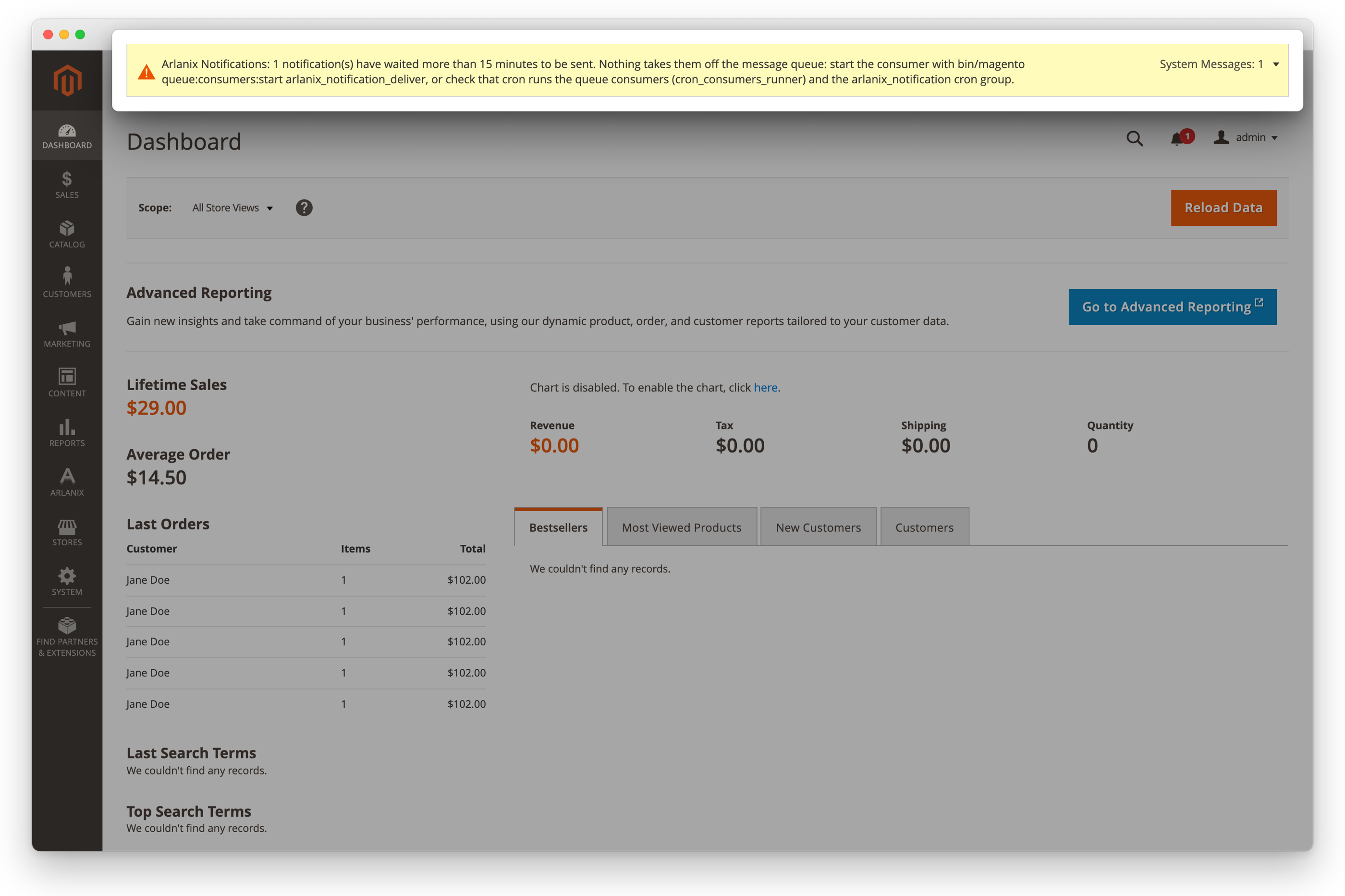
If deliveries wait on the queue for more than 15 minutes, nothing is taking them off it: the consumer does not run. The admin shows a warning at the top of every page until they move. Send it to your developer: see Troubleshooting.
At once
A Cron stopped message from monitoring is sent at once, past the queue: the queue waits for cron, which is what stopped.
Order
Several consumers may run at once, so a busy store sends faster. Messages may then arrive in a different order than they were published; each says when it was published.