For arlanix/notification 1.0.0
Slack
A Slack subscription posts a topic's messages to one channel, through an incoming webhook: an address Slack makes for that channel. It comes with arlanix/module-notification-slack, which your developer installs. Nothing is set up in the configuration: each subscription brings its own webhook.
1. Make a webhook
Open api.slack.com/apps (opens in a new tab), signed in to your workspace, click Create New App, choose Blank app and Continue. Name it, such as Store alerts, choose the workspace and Continue.
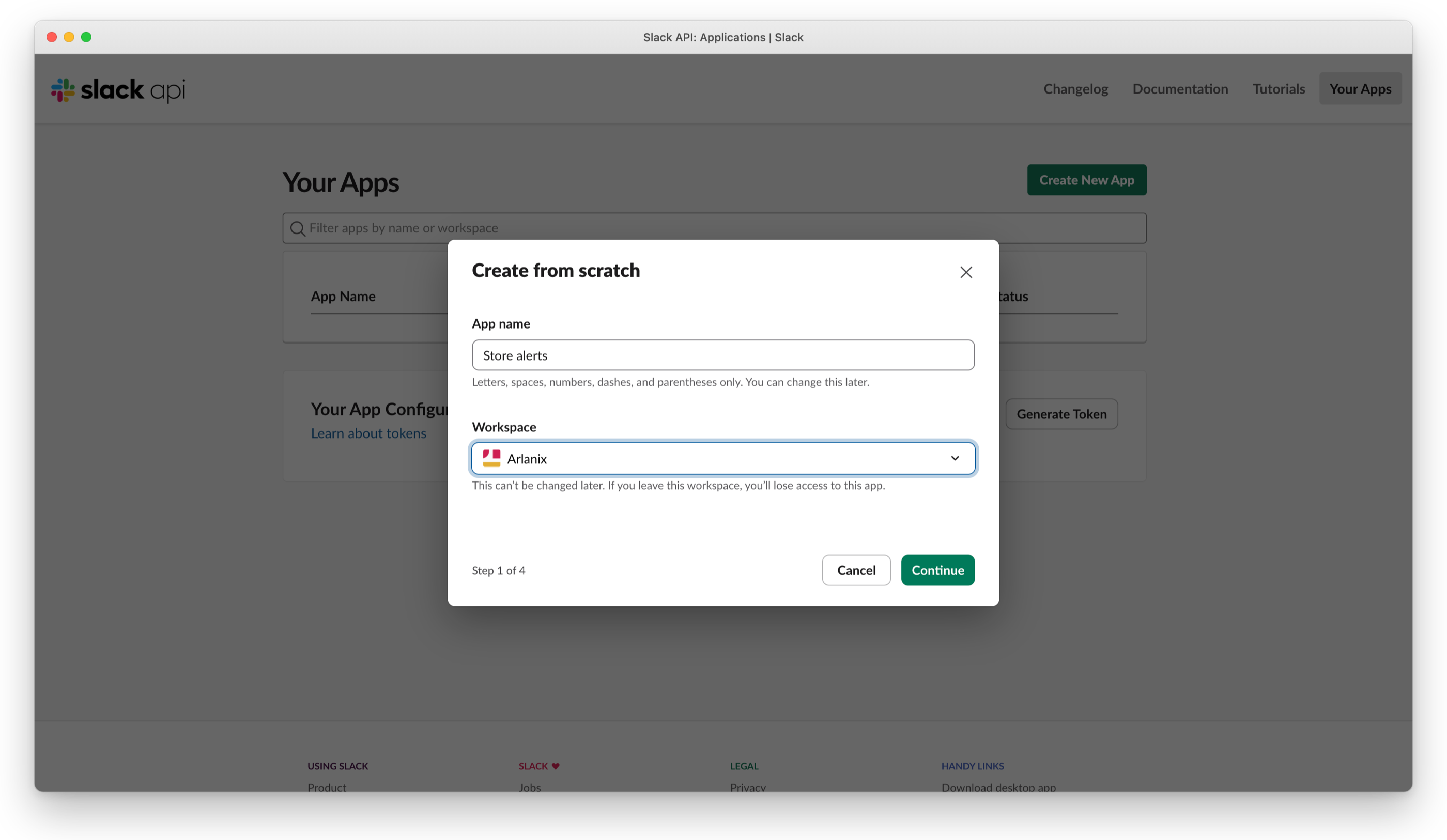
The app needs no scopes or events of its own: Continue past them, Create, and Create Anyway when Slack says the app can't do anything yet. The webhook gives it what it needs.
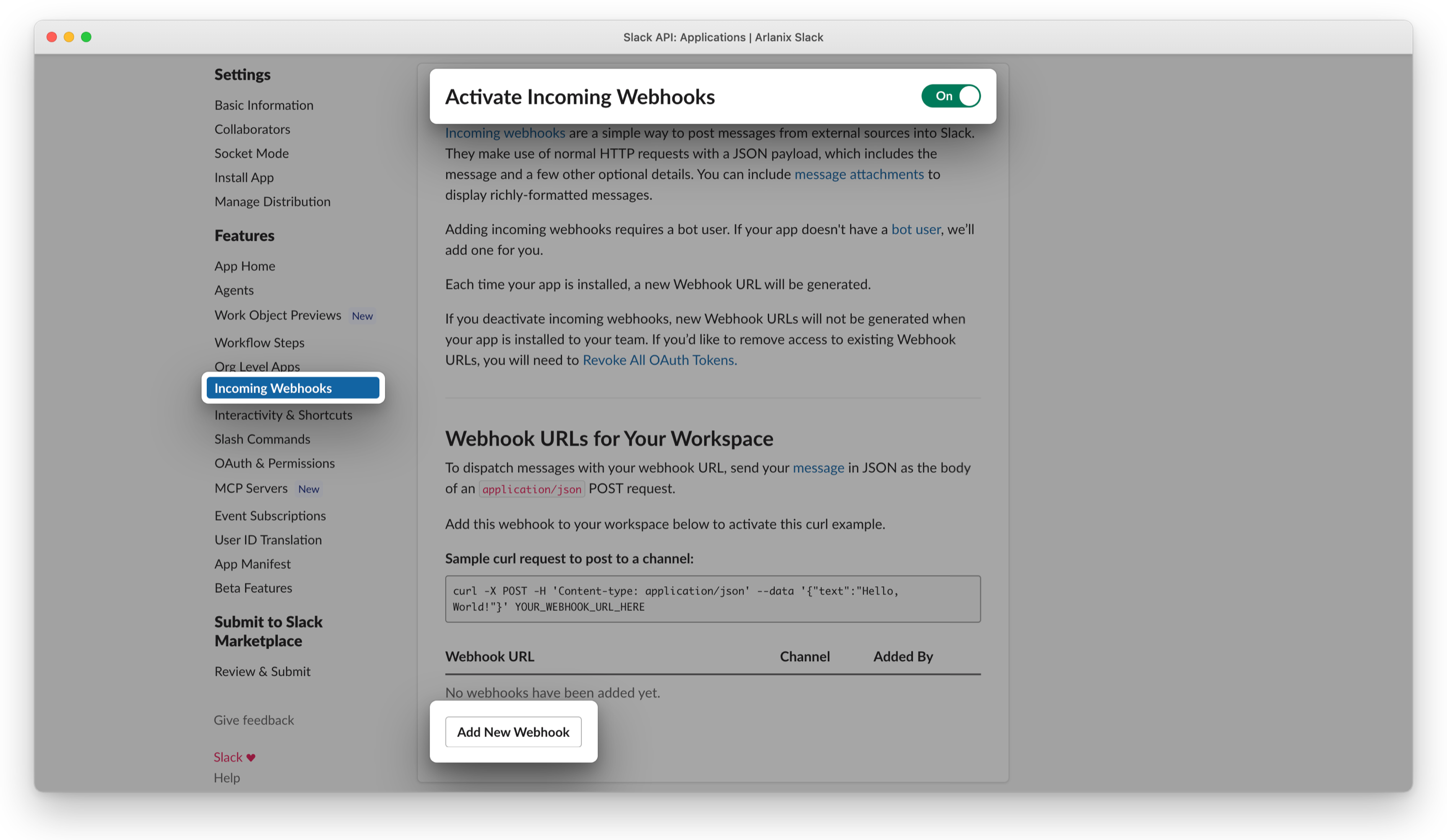
Under Features, open Incoming Webhooks, switch Activate Incoming Webhooks on and click Add New Webhook.
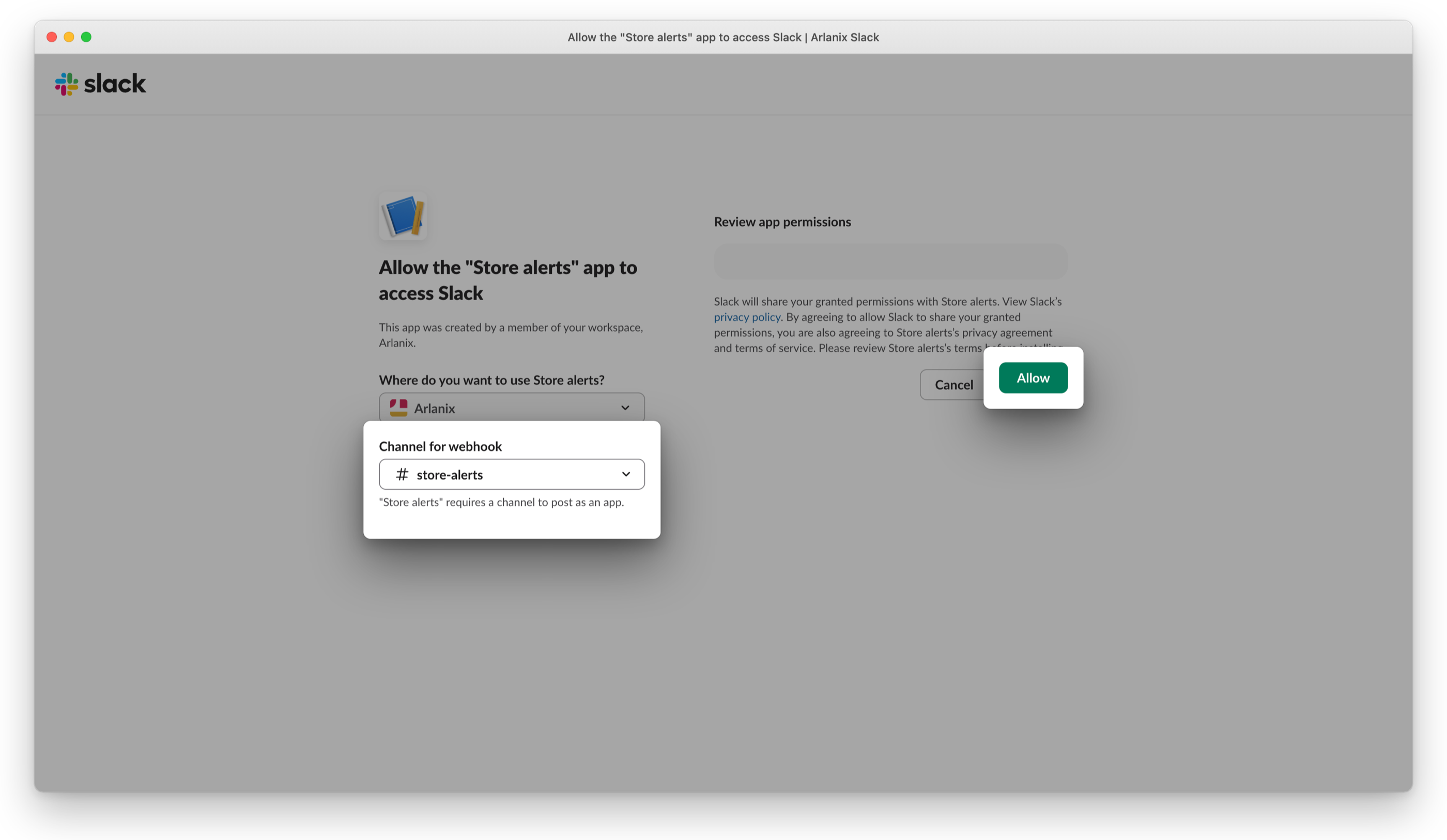
Choose the Channel for webhook, such as #store-alerts, and Allow.
Back on Incoming Webhooks, click Copy by the new Webhook URL:
https://hooks.slack.com/services/…. Keep it like a password: whoever has it can post to the channel.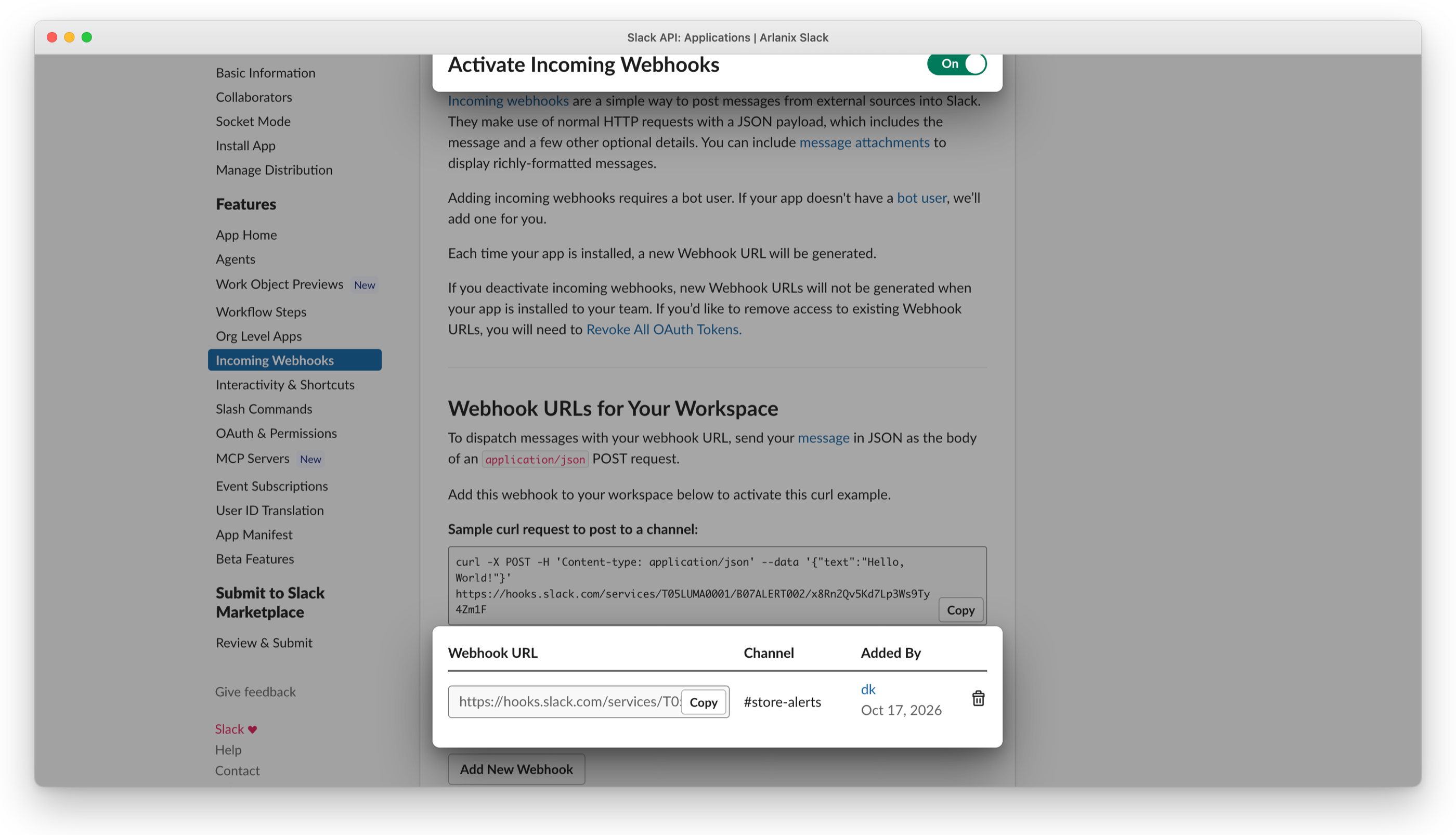
A workspace that needs an admin's approval for apps asks for it at step 3.
2. Subscribe the channel
Add a subscription, on the topic's page or in Subscriptions: see Subscriptions. Under Delivery, choose Delivered by Slack.
Paste the Webhook URL. It is stored encrypted, and never shown again.
Enter the Channel, such as #store-alerts: the grid and the Message Log show it, as they never show the webhook.
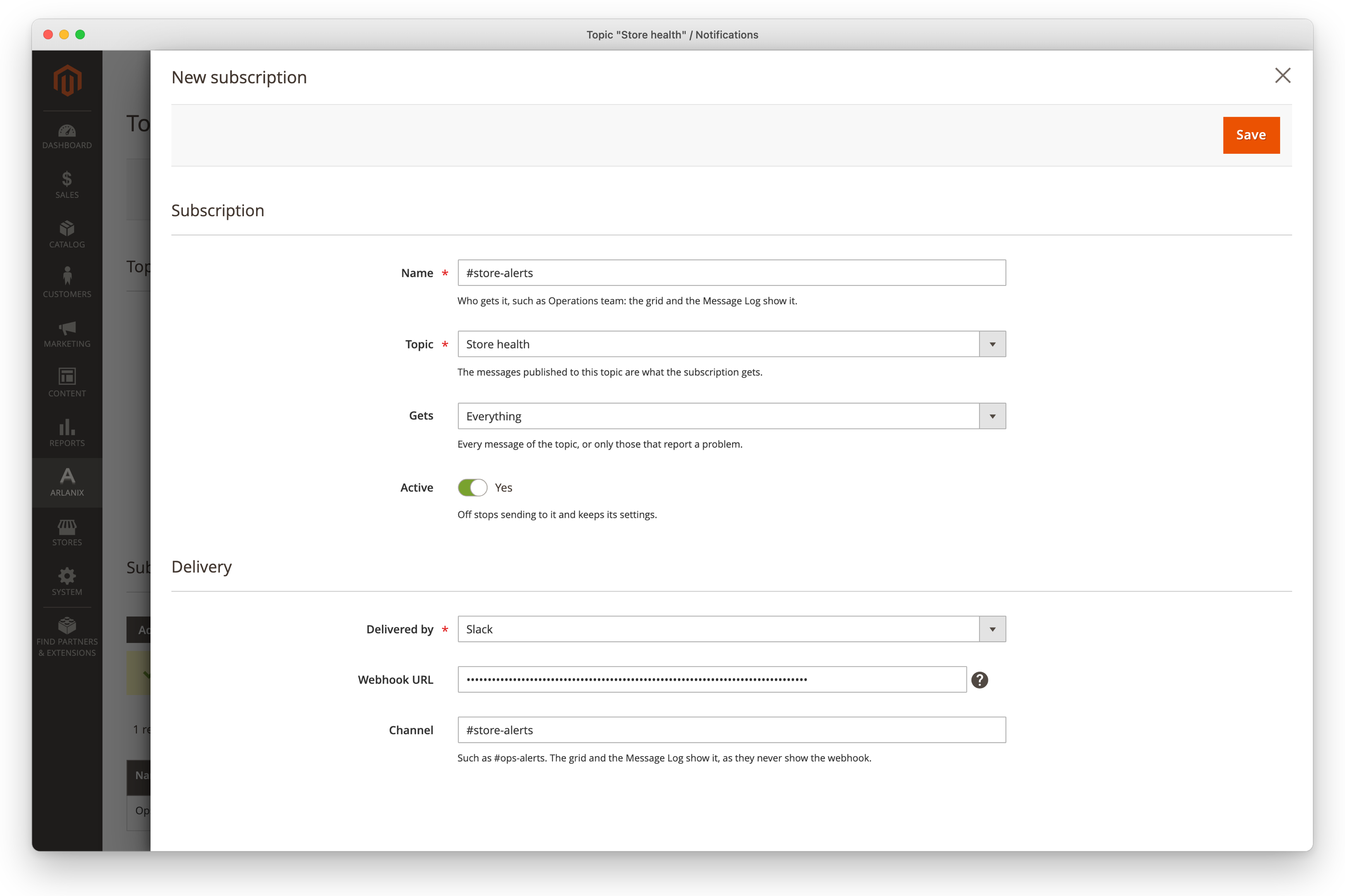
Save, then Send test message: the test arrives in the channel.
To change the webhook later, paste the new one; leave the field empty to keep the stored one. A topic takes a webhook once.
The messages
Each notification, or each digest, is one message: the subject in bold, after a mark for its severity, 🔴 for an error, 🟠 a warning, 🔵 info, then the text and the facts. Links can be clicked, and show no preview. A very long digest shows the messages that fit and ends with how many more there are, such as … and 3 more: see the Message Log.; a single message that long is cut, ending with …. The Message Log keeps every message in full.
When Slack refuses
What Slack said is in the subscription's Last delivery, and on the message's page in the Message Log, with what to do:
| Slack says | Do |
|---|---|
| no_service, invalid_token, no_active_hooks, no_team | The webhook was removed or switched off, or its app taken out of the workspace: make a new webhook and paste it. |
| channel_not_found, channel_is_archived | The channel is gone or archived: make a webhook for one that is there. |
| action_prohibited | The workspace's admin restricts posting there: ask them. |
| Slack asked to wait … second(s) | Too many messages went to the channel at once: the rest go by themselves once that time has passed, an hour at most, and for a day after the message was published the wait uses none of the delivery's attempts. |
A delivery that failed is tried again by itself, as When a delivery fails says, and Retry now on the message's page sends it again within a minute or so.