For arlanix/notification 1.0.0
Email subscriptions are sent the way Stores > Configuration > Arlanix > Notifications > Email > Send through says, default scope only:
Path arlanix_notification/smtp/mailer |
||
|---|---|---|
| Magento's mail | magento, the default |
Through Magento\Framework\Mail, as the store sends its order emails. |
| An SMTP server of its own | own |
Through Symfony Mailer, to a server set here, whatever the store's own mail does. |
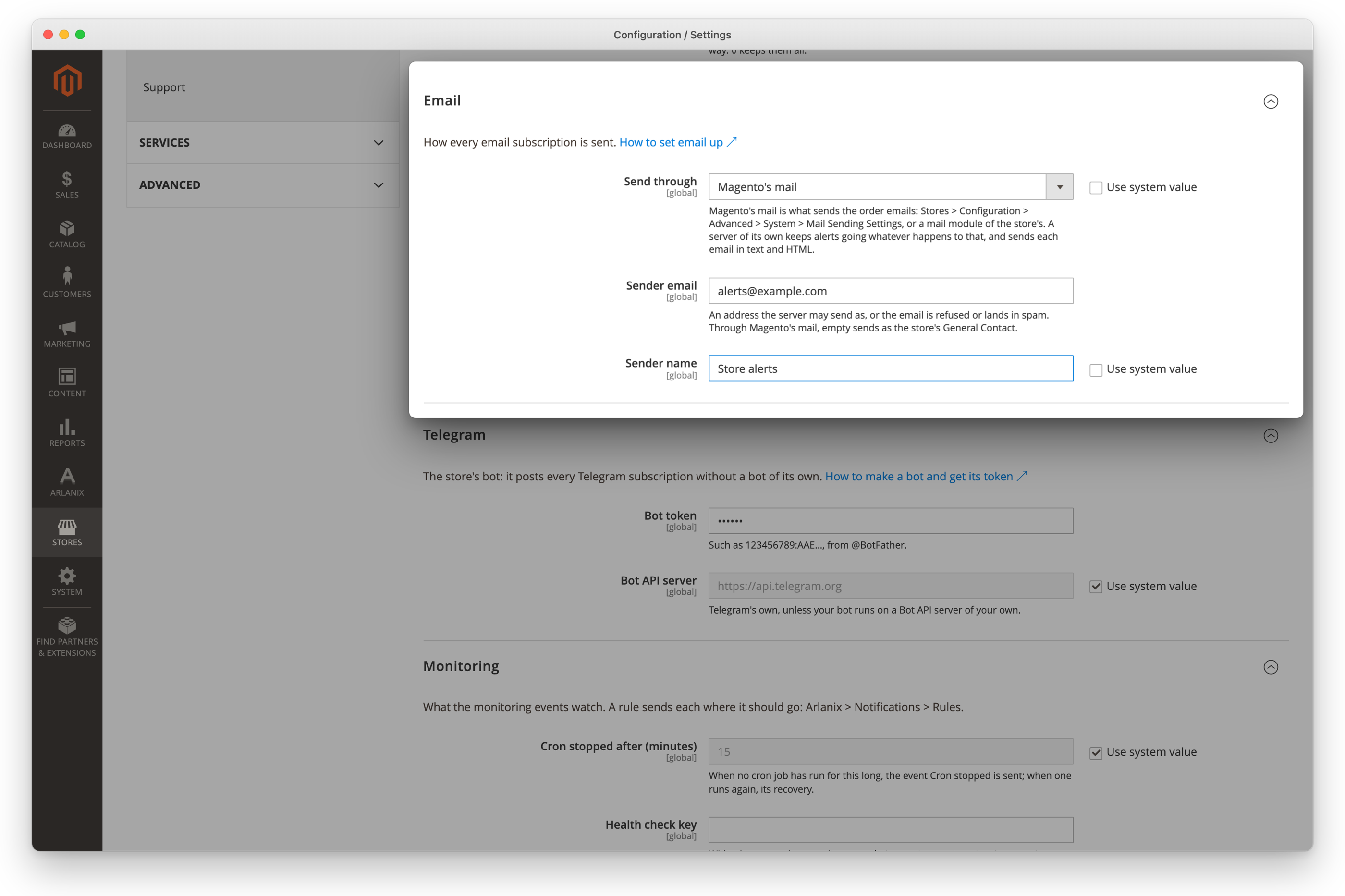
Magento's mail
The email goes through TransportInterfaceFactory, so through whatever sends the store's mail: sendmail or SMTP as Advanced > System > Mail Sending Settings say, or a mail module that replaces the transport. Nothing more to set up.
- The sender is Sender email and Sender name; with no sender email, the store's General Contact (
trans_email/ident_general/*). - Only the HTML part is sent, without
Auto-Submittedand theX-Arlanix-*headers: Magento's message sends a text and an HTML part side by side rather than as alternatives, and takes no headers of ours. - Disable Email Communications (
system/smtp/disable) on is reported before anything is tried, as Magento would drop the email silently. - A failure is stored as Magento could not send the email: …, with the reason Magento's transport logged.
An SMTP server of its own
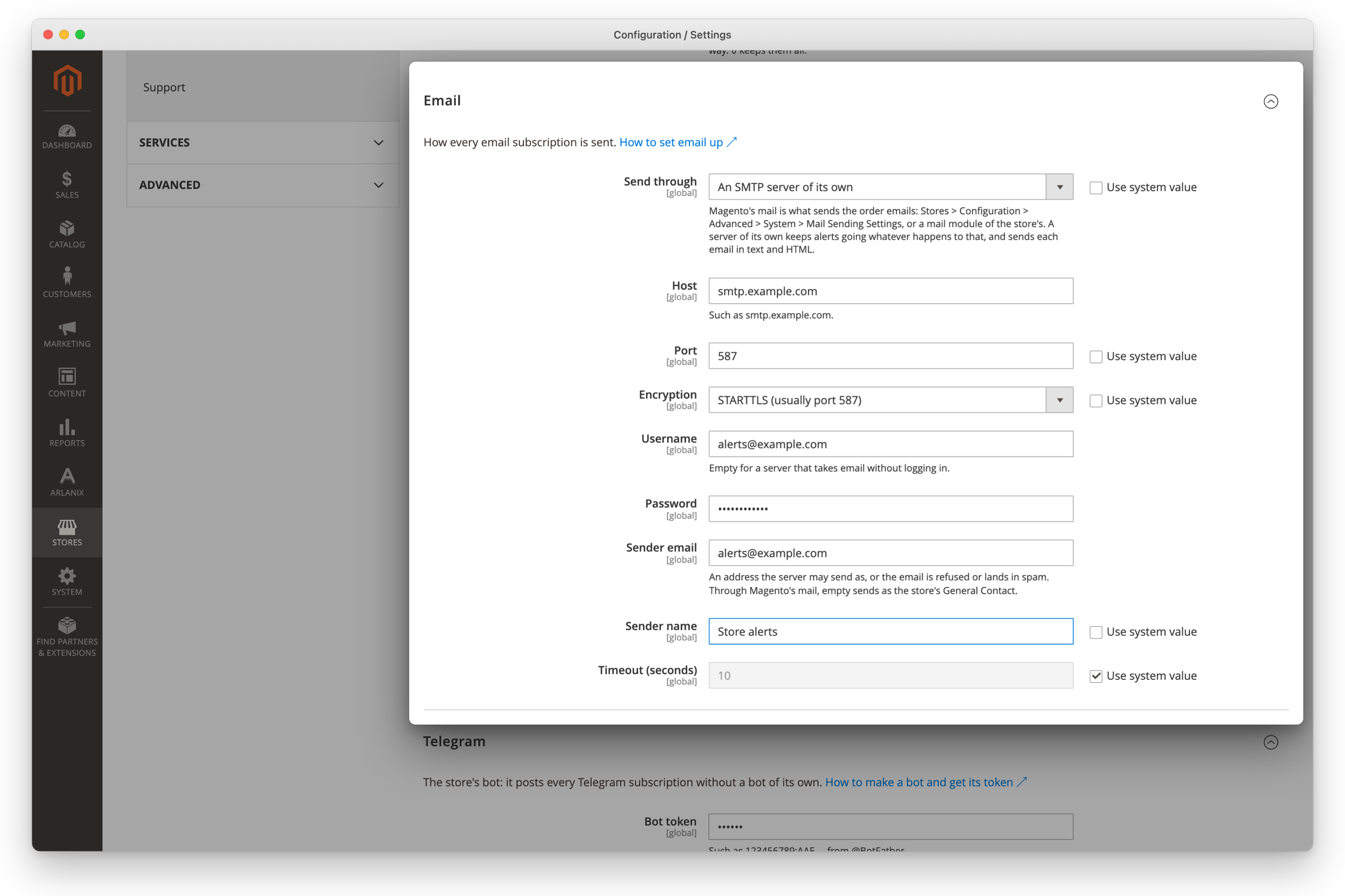
| Setting | Path | Default | |
|---|---|---|---|
| Host | arlanix_notification/smtp/host |
Such as smtp.example.com. Nothing is sent while it is empty. |
|
| Port | arlanix_notification/smtp/port |
587 |
0 lets the mailer choose: 465 with SSL/TLS, 25 otherwise. |
| Encryption | arlanix_notification/smtp/encryption |
tls |
See below. |
| Username | arlanix_notification/smtp/username |
Empty for a server that takes mail without a login. | |
| Password | arlanix_notification/smtp/password |
Stored encrypted. | |
| Sender email | arlanix_notification/smtp/from_email |
Required. An address the server may send as. | |
| Sender name | arlanix_notification/smtp/from_name |
Magento |
|
| Timeout (seconds) | arlanix_notification/smtp/timeout |
10 |
How long the server may take to answer. |
The fields show when Send through is An SMTP server of its own. The username and the password are marked sensitive: app:config:dump leaves them out, and they can be kept in app/etc/env.php instead, the password encrypted as config:set --lock-env writes it.
bin/magento config:set arlanix_notification/smtp/mailer own
bin/magento config:set arlanix_notification/smtp/host smtp.example.com
bin/magento config:set arlanix_notification/smtp/username [email protected]
bin/magento config:set arlanix_notification/smtp/password 'app-password'
bin/magento config:set arlanix_notification/smtp/from_email [email protected]
Encryption
- STARTTLS (
tls, usually port 587): the connection starts in clear and is upgraded. A server that does not offer the upgrade is not sent to: the delivery fails with does not offer STARTTLS. From Symfony Mailer 7.3 the mailer refuses it itself; before 7.3, as on the 6.4 that Magento 2.4.8 installs, the module checks the connection after it is made. - SSL/TLS (
ssl, usually port 465): encrypted from the start. - None (
none): for a relay on the same network, such as a local Postfix or a test catcher like Mailpit. Before Symfony Mailer 7.1 the mailer still upgrades to TLS when the server offers STARTTLS, so a relay with a certificate the web server does not trust fails there.
What is sent
- From the sender, to the subscription's one address.
Auto-Submitted: auto-generated, so out-of-office replies stay quiet, andX-Arlanix-TopicandX-Arlanix-Severity, for mail filters.- A plain-text part and an HTML part with the same content.
Checking it
There is no separate test button: a subscription's Send test message is the check, and says what was answered. What keeps email from being sent at all is reported before anything is tried: Magento's mail switched off, a server of its own with no host, no sender email or one that is not an email address.
A failed delivery keeps what the server said: The SMTP server smtp.example.com:587 did not take the email: Failed to authenticate on SMTP server with username "[email protected]" …. The username is in it, the password never.