For arlanix/product-feed 1.0.0
Get help
When something is wrong and a run's Details does not explain it, support needs two things: the Arlanix log and a few facts about the installation. The support bundle collects both into one zip, in the admin, without SSH.
Where it is
Stores → Configuration → Arlanix → Support, group Diagnostics. The page lists what the bundle can hold, each with a checkbox, and a Download support bundle button.
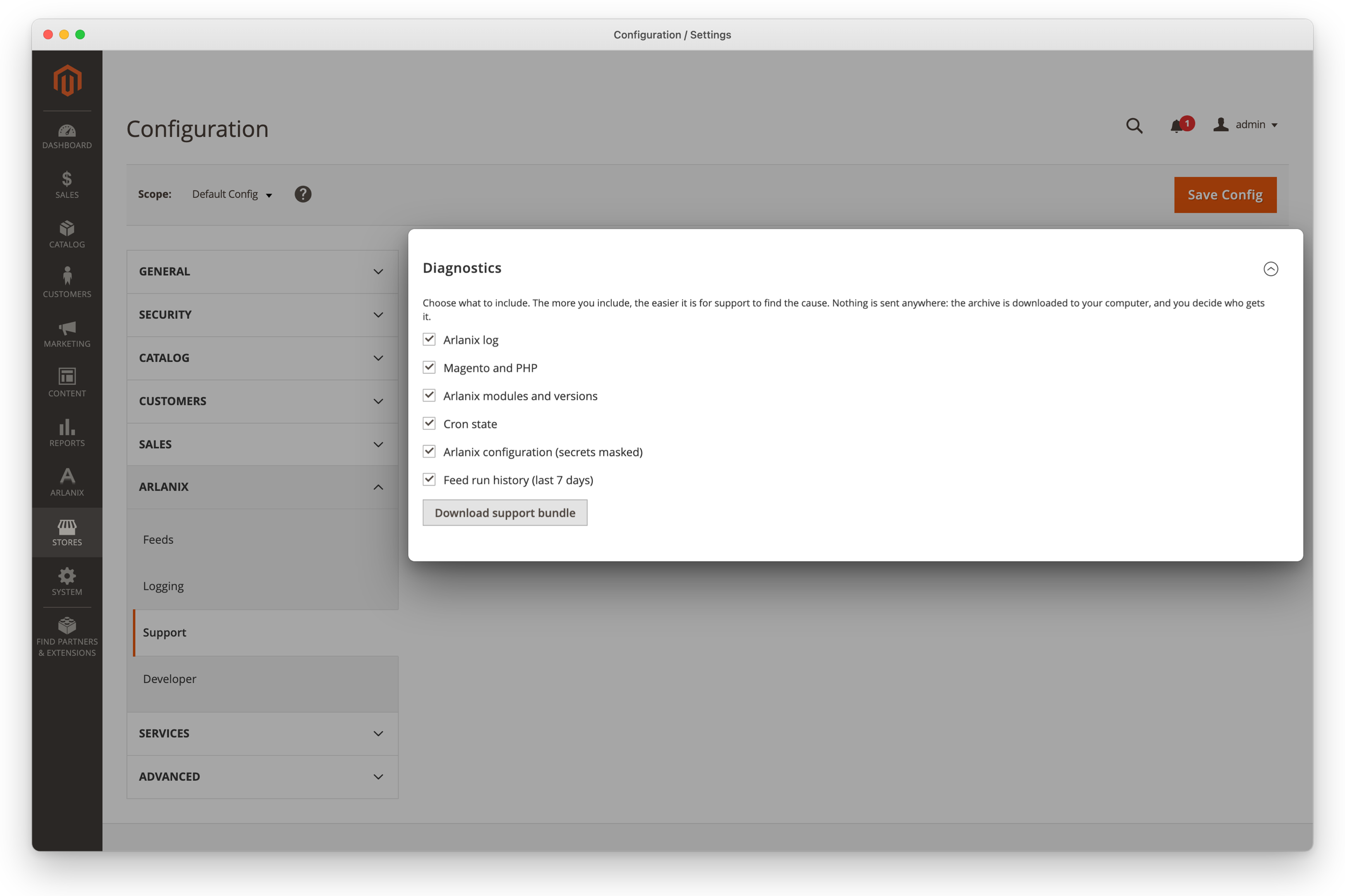
What you can include
| Item | File in the zip | What it holds |
|---|---|---|
| Arlanix log | arlanix.log |
The end of var/log/arlanix.log, up to the last 10 MB, after a few lines about the log itself. |
| Magento and PHP | platform.txt |
The Magento edition, version and mode, the store views, the locale and time zone, and the PHP version, limits and extensions. |
| Arlanix modules and versions | modules.txt |
Every Arlanix_* module with its Composer package and version, enabled or disabled. |
| Cron state | cron.txt |
Whether the cron runs, when the Arlanix jobs last ran, and how the last 24 hours went. |
| Arlanix configuration (secrets masked) | config.txt |
Every stored arlanix* setting at every scope, with secrets masked. |
| Feed run history (last 7 days) | runs.jsonl |
The runs of the last seven days, up to 500, newest first. |
Everything is ticked when the page opens: the more the bundle holds, the sooner the cause is found. Untick what you would rather not share. The choice is not saved; you make it each time you download. With nothing ticked, the button is disabled.
The zip holds one file for each item ticked and nothing else, so support sees from the files what was left out and can ask for it.
Nothing leaves the store by itself
The bundle is a file your browser downloads to your computer, arlanix-support-<date>-<time>.zip. It is built in var/tmp and removed as soon as it has been sent. Nothing is uploaded or sent anywhere; you decide who gets the file.
Sending it to support
Open a ticket at arlanix.com/support: sign in to your Arlanix account, or create one, and press Open a ticket. Attach the zip, and say which feed it is about, by its identifier, and what you expected to happen. A ticket takes files up to 25 MB, so the zip fits even when the log is large. We answer in the ticket, and you get an email when we do.