
Request spikes
Watch for high request volumes from an IP, per protocol.
API Monitor · Magento 2
Bring REST, SOAP and GraphQL requests into one place. Follow a failure back to its response, source IP and user agent, right in your Magento admin.
Freeon Adobe Commerce Marketplace
REST, GraphQL and SOAP requests reach API Monitor and are saved in the request log. Traffic that reaches an anomaly threshold is flagged as an anomaly, and an alert can go through the optional Multichannel Store Notifications module, by email, Telegram, Slack or Discord.
 REST
 SOAP
 GraphQLNative Magento admin
Give your team a shared place to investigate integrations and API traffic.
Your first request log →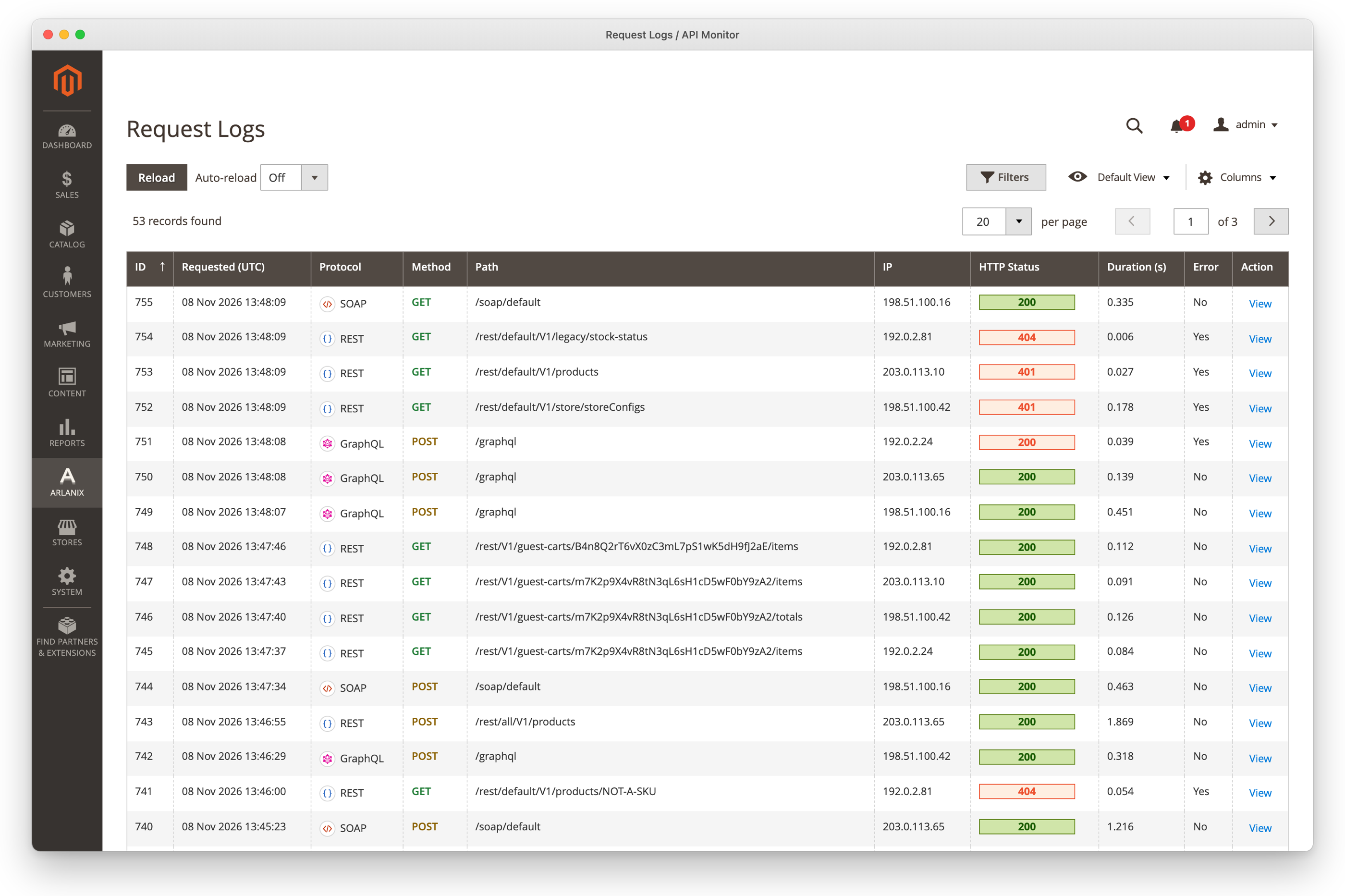
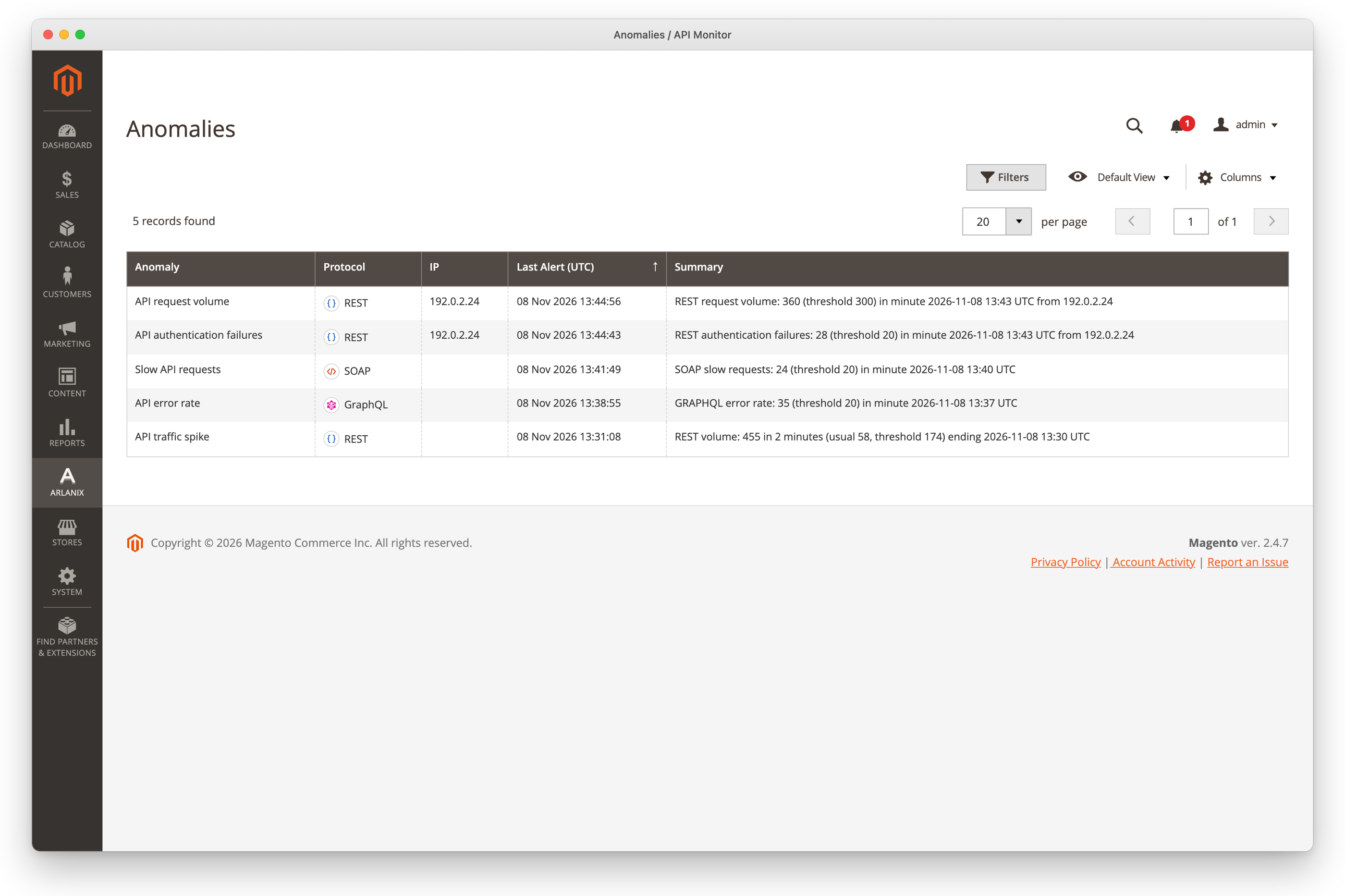
Unusual traffic, in view
Minute-based thresholds surface anomalies in the admin. Tune them to your store’s normal activity.
How detection works →Watch for high request volumes from an IP, per protocol.
Spot repeated authorization and authentication errors from a source IP.
Track error percentages and slow-request counts across each protocol.
Optional · Multichannel Store Notifications
Connect API anomaly events to Multichannel Store Notifications rules. Choose a topic and reach subscribers by email, Telegram, Slack or Discord. API Monitor also works on its own.
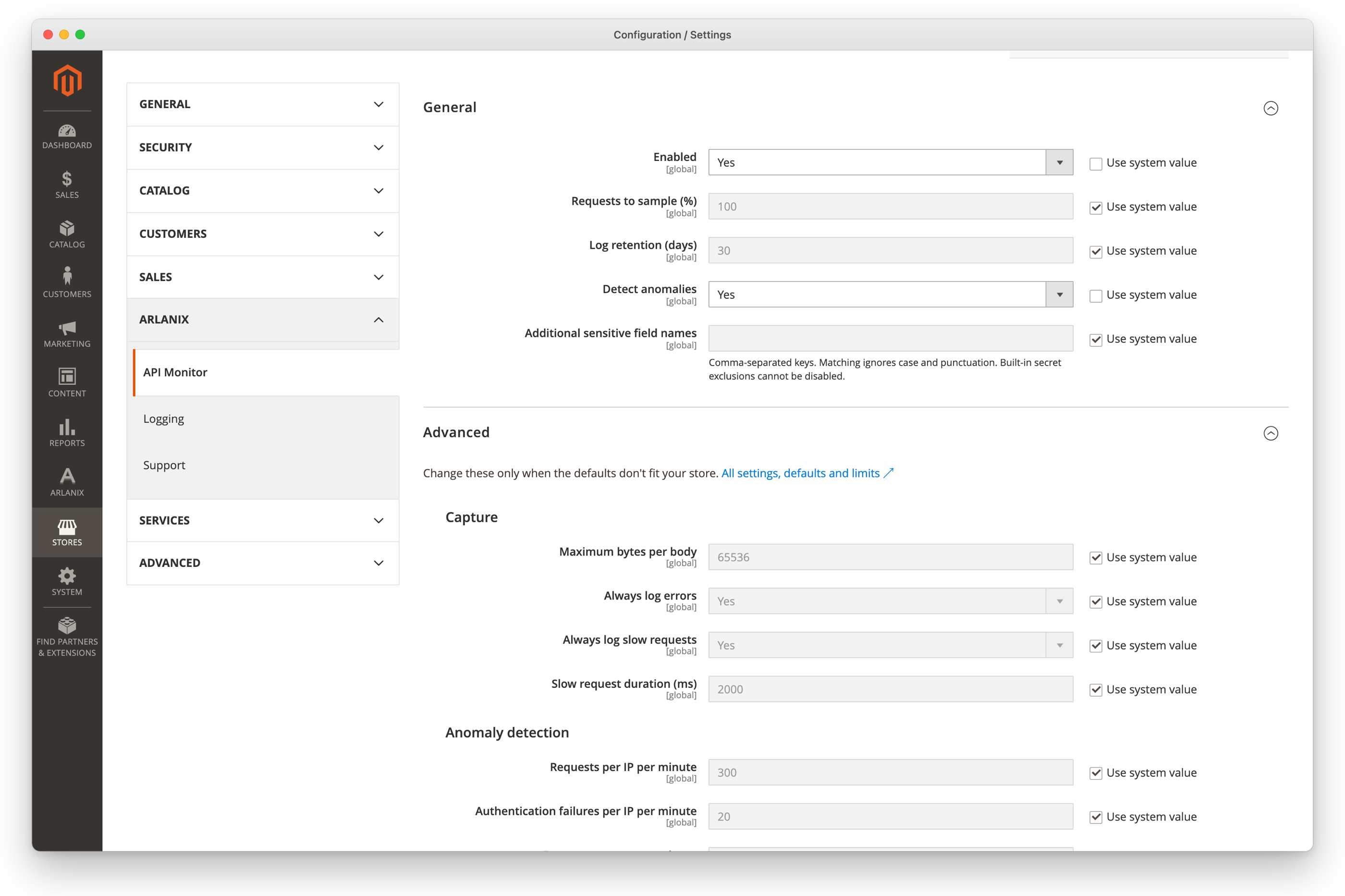
Set the balance between visibility and storage in Magento configuration.
Choose the percentage of requests to save, with optional overrides for errors and slow requests.
Set a maximum body size. Known sensitive fields are removed before logs are stored.
Keep logs for 30 days by default, or choose your own retention. Cron removes expired records in batches.
No. Known sensitive fields are removed, and unsupported or oversized bodies are omitted. Sampling can reduce which requests are saved. Review the capture documentation for the exact boundaries.
Magento ACL controls access to logs and bodies separately. Give each admin role only the access it needs.
Logging is best effort. If saving fails, the request is allowed to proceed without a saved log.
No. It reports threshold crossings for investigation. It does not block requests or replace rate limiting.
Start with one request
Installation for developers. A practical manual for your store team.
Freeon Adobe Commerce Marketplace