For arlanix/product-feed 1.0.0
Dictionaries
A dictionary translates a store's values into a channel's. The store says Navy, Google wants Blue; the store's stock status is 1, Google wants in_stock. Dictionaries live under Arlanix → Dictionaries, so one dictionary serves any number of feeds and rows.
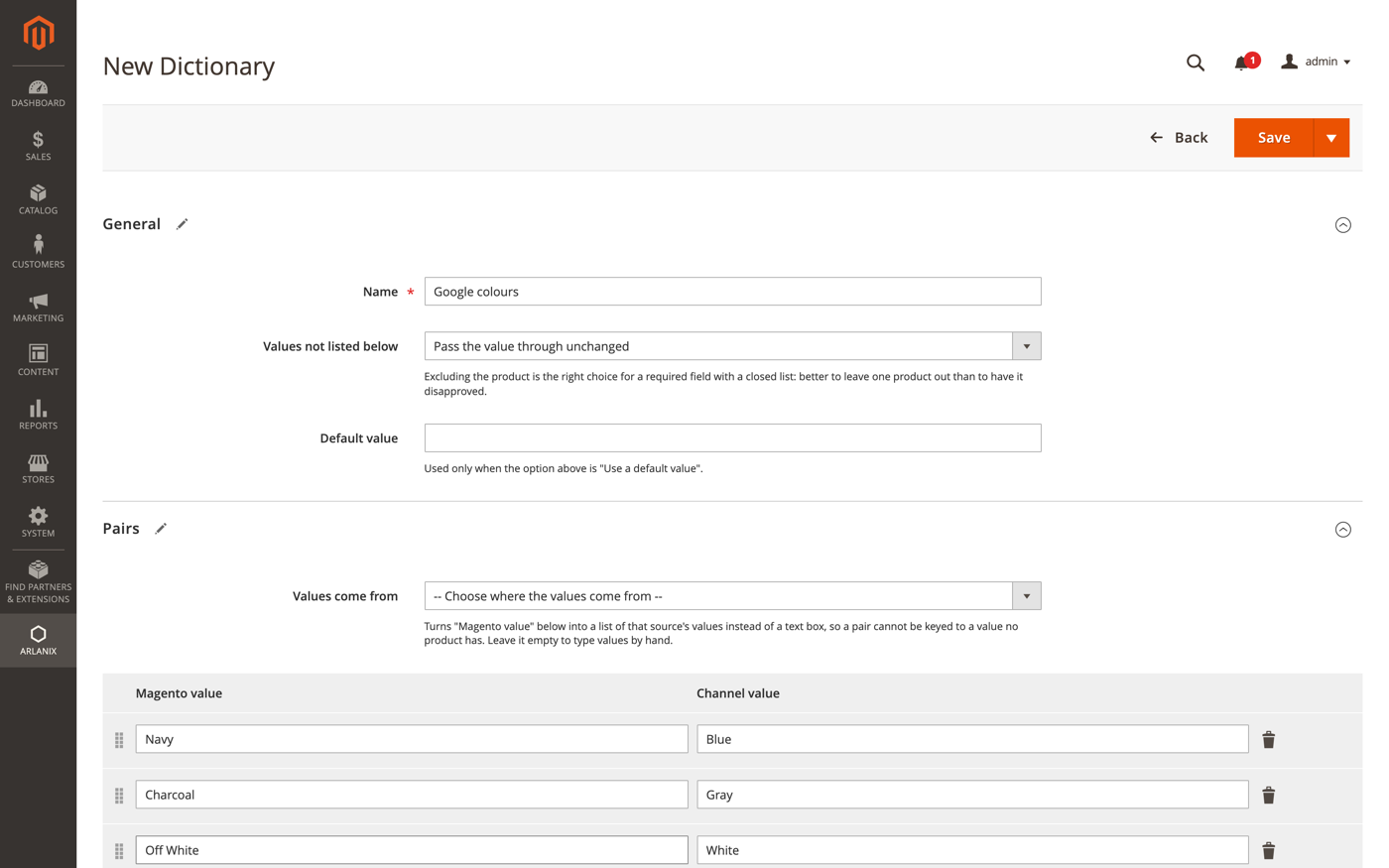
- Name: your own name for it.
- Values not listed below: what to do with a value the pairs do not mention. Pass the value through unchanged is right for colours. Exclude the product from the feed is right for a required field with a closed list of allowed values, such as
age_group: better one product less than a disapproved one. The other two are Leave the field empty and Use a default value. - Values come from: pick the attribute the values are read from, and the Magento value column becomes a list of that attribute's options, so a pair cannot be keyed to a value no product has. Leave it empty to type values by hand.
- Pairs: Magento value on the left, Channel value on the right. Add pair adds a row.
On a mapping row, choose the dictionary in the Dictionary column. The pencil next to it opens that dictionary for editing without leaving the feed, and the + makes a new one. The copy from the Google Shopping catalog already attaches the dictionaries Google's closed lists need: availability, age group, gender, adult.
The dictionaries the module installs
The module installs eight, ready to use: Google availability, Google condition, Google age group, Google gender, Availability (space-separated), True / False, Stock status and Yes / No. The copy from a field catalog attaches the ones its fields need. They can be edited like your own.
The Dictionaries grid
Under Arlanix → Dictionaries, each dictionary is a row:
- Name: the dictionary's name.
- Unlisted values: what happens to a value the pairs do not list, as Values not listed below sets it.
- Pairs: how many pairs it has.
- Used by: the feeds whose mapping uses it. Each name opens that feed at its Mapping section.
Add Dictionary makes a new one. A row's Select menu has Edit and Delete.
Delete a dictionary
Delete in the row's Select menu asks first, naming the dictionary. A dictionary that a feed's mapping still uses cannot be deleted: Troubleshooting has the message and what to do.