Many problems in a Magento store make no noise. The storefront keeps loading while the checkout fails, the background jobs stop, or someone tries admin passwords one after another. You find out from a customer, a report at the end of the month, or not at all.
These are the seven things worth hearing about within minutes. For each one: what Magento 2.4.7 does on its own, and the rule that sends it to email, Slack, Telegram, Discord, Teams or WhatsApp with Multichannel Store Notifications.
1. A big order
Magento alone: Send Order Email Copy To, under Stores > Settings > Configuration > Sales > Sales Emails > Order, sends you a copy of every order email the customer gets. Every order, by email only, as a thank-you letter to the customer.
The alert: the New order event with the condition Grand total equals or greater than 500, sent to a topic such as Sales. The team hears of the orders that need a phone call or a careful packing, and not of the others. Other conditions pick bank transfers, wholesale customers or a coupon code.
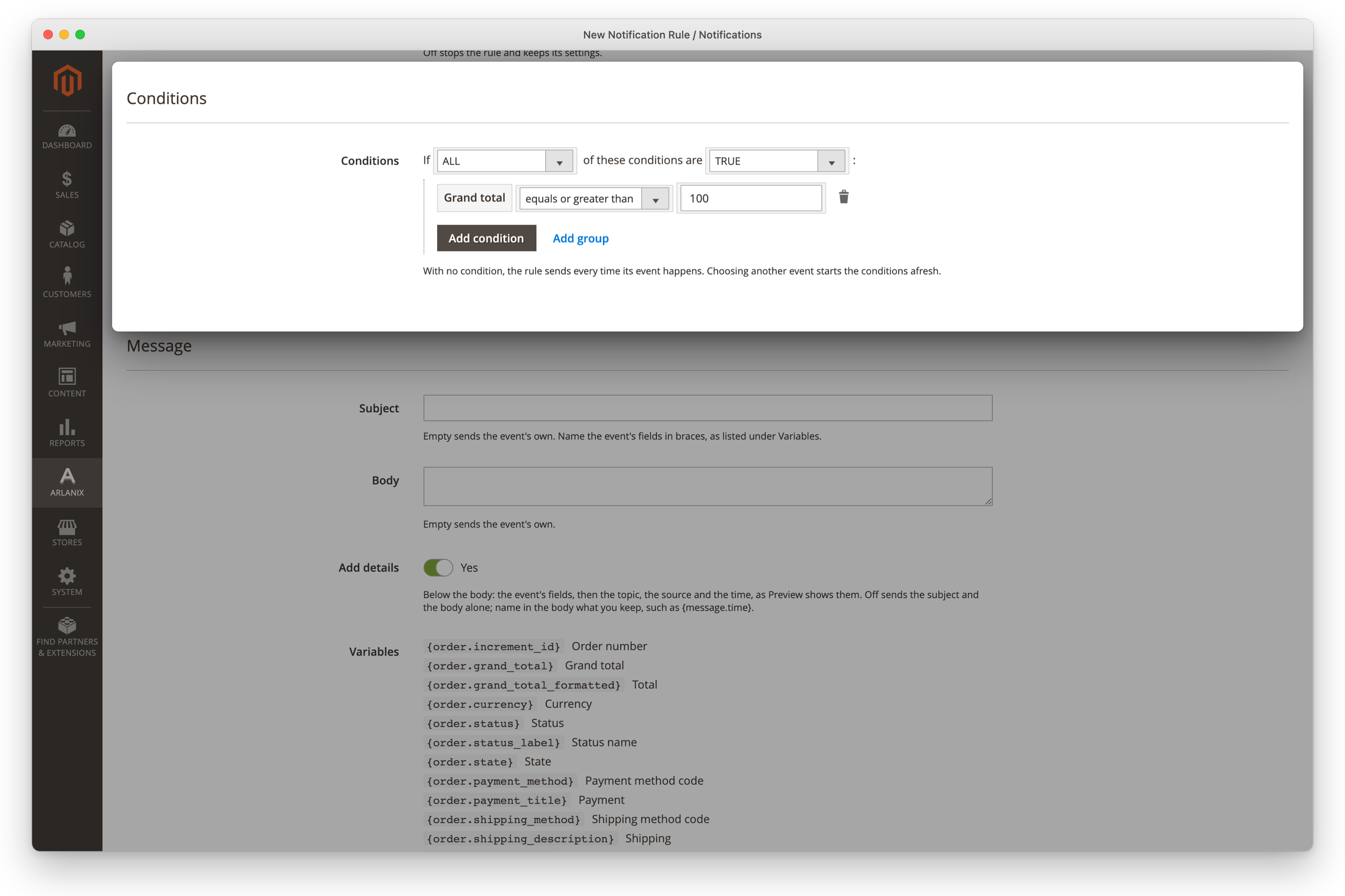
Magento 2 New Order Notification goes through both ways step by step.
2. A big refund
Magento alone: Send Credit Memo Email Copy To, under Sales Emails > Credit Memo, copies the refund email to you. It goes out only when Email Copy of Credit Memo is ticked on the credit memo, so a refund made without telling the customer tells you nothing either. And it comes for every refund, large or small, as the customer's email.
The alert: the Refund event with the condition Refunded total equals or greater than 200, sent to Accounting, with the subject Refund of {creditmemo.grand_total_formatted} on order #{order.increment_id}. A refund has the severity Warning, so it also reaches a subscription that takes only warnings and errors. A large refund is sometimes a mistake, and sometimes fraud. Either way, someone should see it the same day.
3. Cron stopped
Magento alone: nothing. Order emails under Asynchronous sending, indexers on Update by Schedule, the queue consumers that cron starts, and price rules all wait for cron, and the store shows no error. The admin says Make sure your Magento cron job is running only when an indexer becomes invalid, which a stopped cron doesn't cause.
The alert: Cron stopped, sent when no job has run for 15 minutes, and again when cron runs again. Since a stopped cron can't run a check, the store notices it when someone opens the admin, or when an uptime monitor calls its health check address. Add Cron job failed too: it names each job that ended in an error.
Magento Cron Not Running? explains why cron stops, how to check it by hand and how to set up the uptime monitor.
4. Orders stopped
Magento alone: nothing. A payment module that fails after an update, a shipping method that no longer quotes, or a broken JavaScript file on the checkout all look the same from the admin: the store is quiet. Someone notices after a day, from the Last Orders on the dashboard or a customer's email.
The alert: Orders stopped. Every five minutes, it counts each store view's orders in the last 10 minutes and compares them with the same 10 minutes of the same weekday over the last four weeks. When fewer than a quarter of the usual orders come, it looks at the carts to say why:
- Shoppers fill carts, no orders come: shoppers are there, but their orders fail. Place a test order.
- Shoppers are gone: the storefront is down, or its traffic has stopped.
When the carts are somewhere in between, nothing is sent, since fewer shoppers can just be a quiet day.
It sends only after two checks in a row see the stop, and again when the orders come back. A store view that usually gets fewer than 3 orders in those 10 minutes isn't judged, because too few orders tell nothing. For a smaller store, set Minutes looked at to 60: 3 orders an hour are then enough, and a stop is noticed up to an hour later.
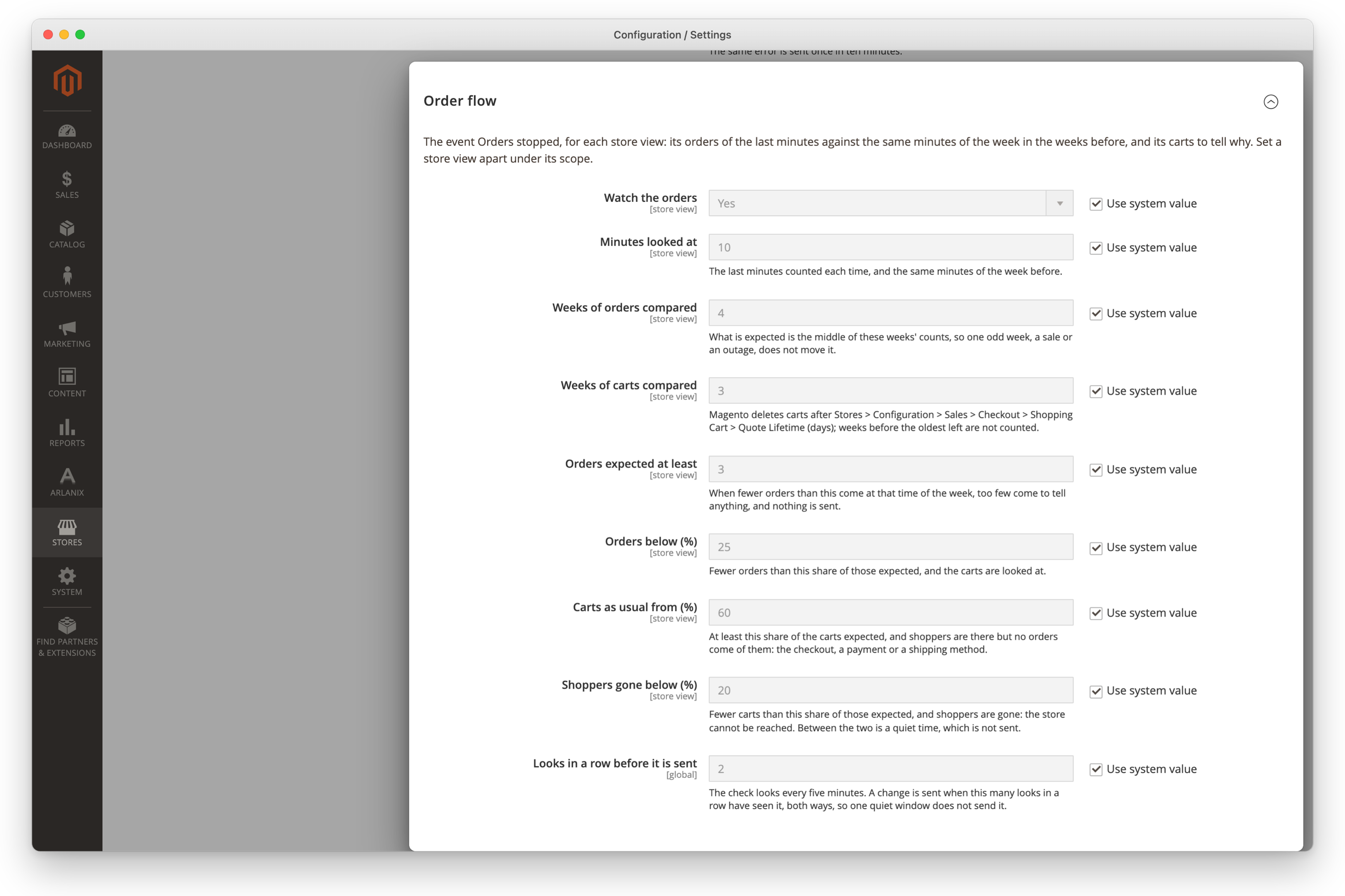
Orders that stop in the manual has every setting.
5. A failed admin sign-in
Magento alone: Maximum Login Failures to Lockout Account (6) and Lockout Time (minutes) (30), under Stores > Settings > Configuration > Advanced > Admin > Security, lock an admin user after too many wrong passwords. The lock protects the account, but it tells no one. System > Permissions > Locked Users lists the locked accounts, if someone thinks to look.
The alert: Admin login failed, with the username and the reason. Many stores have no admin user called admin, so a rule with the condition Username is admin and the severity Error tells you when someone is guessing. Add Admin logged in with the condition From a new device is Yes: a message when an admin signs in from a browser they haven't used in the past year, and not on every sign-in. The IP address is personal data, and the message includes it only when the rule's body asks for {admin.ip}.
6. A review to moderate
Magento alone: a review written on the storefront waits as Pending in Marketing > User Content > Pending Reviews. Magento's Product Reviews settings have no email for it, so reviews wait until someone opens the page. A shopper's question in a review can sit there for weeks, and a happy customer's review stays hidden all that time.
The alert: Review to moderate, sent to a topic such as Catalog, with the subject Review of {product.name} to moderate. The body {review.nickname}: {review.title} adds who wrote it and the title. Both are personal data, so send it only to the people who moderate reviews.
7. A failed import or feed
Magento alone: the person who runs an import from System > Data Transfer > Import sees the result on that page. With Validation Strategy set to Skip error entries, an import goes on past every row with an error, however many there are, and those rows are simply not imported. Allowed Errors Count limits only Stop on Error. Import History keeps a Summary and an Error File, but only for imports started on the Import page. An import run by an integration or through the API tells nobody.
The alert: Import finished with the condition Errors greater than 0 and the severity Warning, so you hear only of the imports that left rows out. Add Import failed without a condition: it says why an import stopped before the end.
If you send your catalogue to Google Shopping with Arlanix Product Feed, add Feed failed with the condition State is Problem. It tells you when a delivery fails or a feed would be empty, once and not after every run. Get told when a feed fails covers the feed's other events.
Where to send them
Not everyone needs every alert. Each rule sends to a topic, and a topic's subscribers choose their channel:
| Topic | Alerts | Channel |
|---|---|---|
| Sales | Big orders | Slack, Teams or Telegram, where the team already talks |
| Accounting | Big refunds | Email, or a digest of several messages in one email |
| Store health | Cron stopped, Cron job failed, Orders stopped, admin sign-ins, imports, feeds | A chat that someone reads at once, at night too |
| Catalog | Reviews to moderate | Email or chat, for whoever moderates |
To set one up, make the topic, subscribe people to it, then open Arlanix > Notifications > Rules and click Add rule. Rules shows the form, and Rule examples has the rules above ready to copy. Magento 2 Slack Integration shows how to send them to Slack channels.
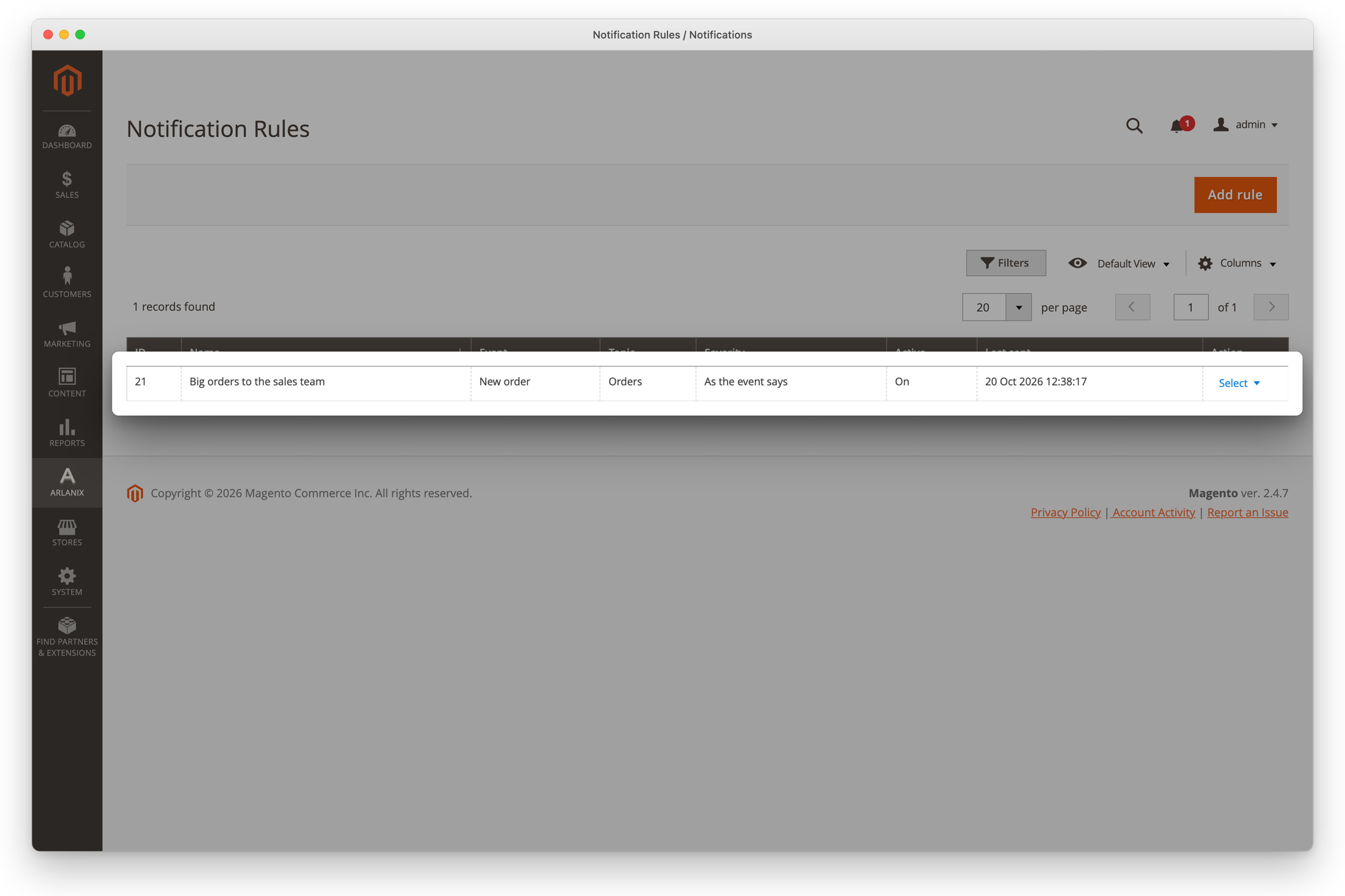
Magento alone or with alerts
| Magento alone | Multichannel Store Notifications | |
|---|---|---|
| Big orders and refunds | A copy of every customer email | Only those over your amount, to the team that handles them |
| Cron stopped | An admin message, sometimes | Cron stopped, from the admin or an uptime monitor |
| Orders stopped | Noticed when someone looks | Orders stopped, with the reason |
| Failed admin sign-ins | A lock, and nothing else | Admin login failed, and sign-ins from a new device |
| Reviews | Wait on Pending Reviews | Review to moderate |
| Imports | The Import page, for who started it | Import finished with errors, Import failed |
| Where you hear of it | Email, or the admin | Email, Slack, Telegram, Discord, Teams, WhatsApp or a webhook |
| Cost | Built into Magento | An extension from Adobe Commerce Marketplace |
Multichannel Store Notifications runs on Magento Open Source or Adobe Commerce 2.4.7 or later, with PHP 8.1 to 8.5 and a working cron. Monitoring in the manual lists the other store health events, such as invalid indexers and errors in the store's log.