When a customer places an order, Magento emails the customer. Nobody on your side hears of it unless you set that up. There are two ways: a copy of the customer's order email, which Magento has built in, and a rule that sends only the orders you care about, by email or to a team chat.
Magento's own way: a copy of the order email
Magento can send you a copy of every order confirmation it sends to customers.
- Open Stores > Settings > Configuration > Sales > Sales Emails.
- Expand Order. Check that Enabled is Yes.
- In Send Order Email Copy To, enter your address. To send copies to several people, separate the addresses with commas.
- In Send Order Email Copy Method, choose how the copy is sent:
- Bcc: your address is added to the customer's email as a blind copy.
- Separate Email: you get an email of your own.
- Click Save Config.
The settings can differ for each website and store view. Choose the scope in the top left corner of the page.
This costs nothing and takes a minute, and it is enough for a small store where one person reads every order. It has limits:
- Every order arrives. You cannot ask for only orders over a certain total, only bank transfers, or only wholesale orders.
- You read the customer's email: a thank-you message with the order number and total somewhere inside it.
- It is email only, while many teams follow the store in Slack or Telegram.
- With Asynchronous sending on, under Sales Emails > General Settings, order emails go out with cron. If cron stops, the copies stop too, and nothing tells you.
Only the orders you care about
Multichannel Store Notifications sends a message when something happens in the store, if it matches the rule you set. For orders, the rule uses the New order event and a condition. For example, to tell the sales team about every order of $100 or more:
- Make a topic, such as Orders. A topic is what the messages are about.
- Subscribe the sales team to it, with their email address.
- Make a rule: the event New order, the topic Orders, and the condition Grand total equals or greater than 100.
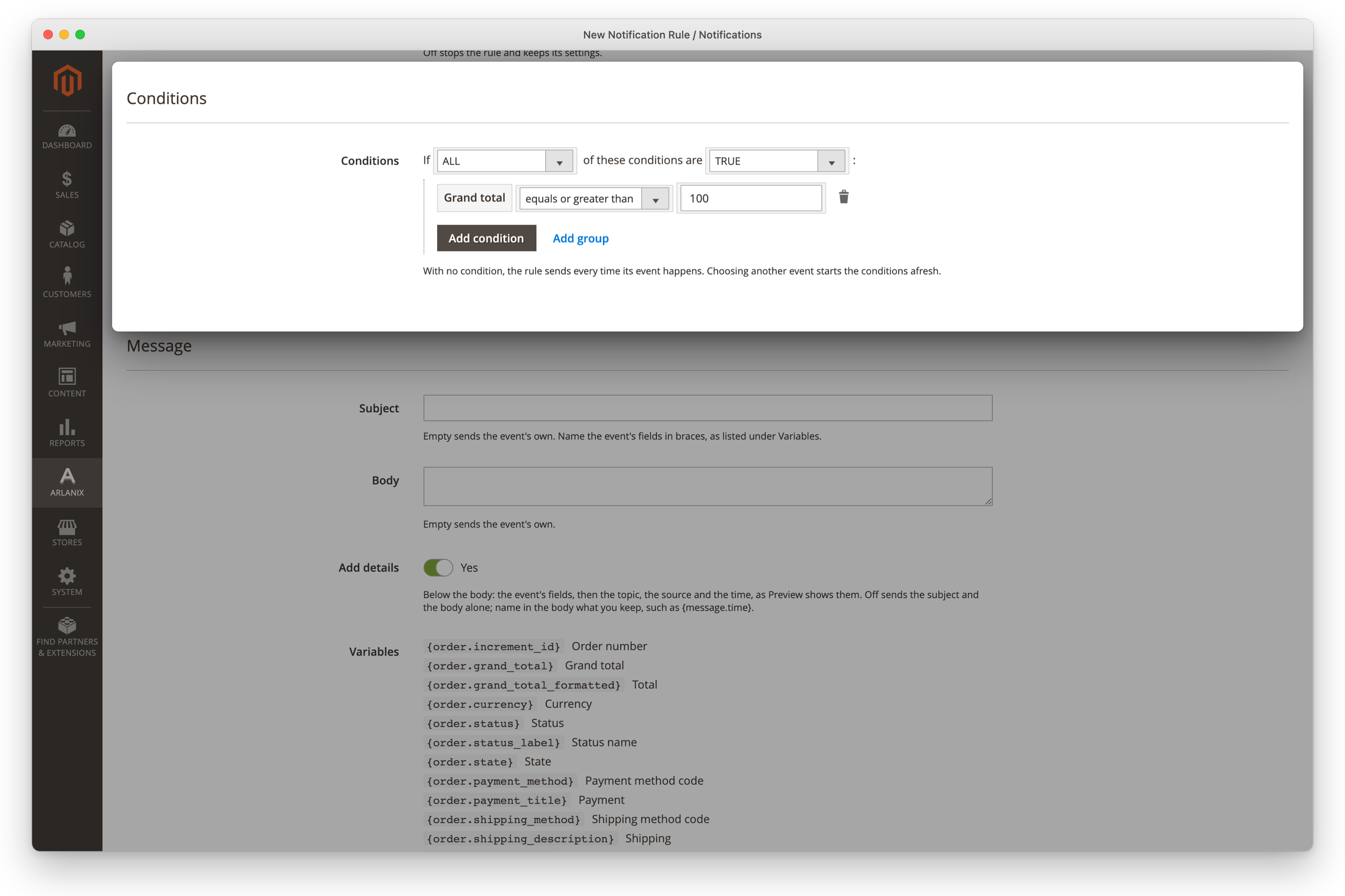
- Write the subject with the order's fields in braces, such as Big order #{order.increment_id}: {order.grand_total_formatted}. The email then opens with the order number and its total.
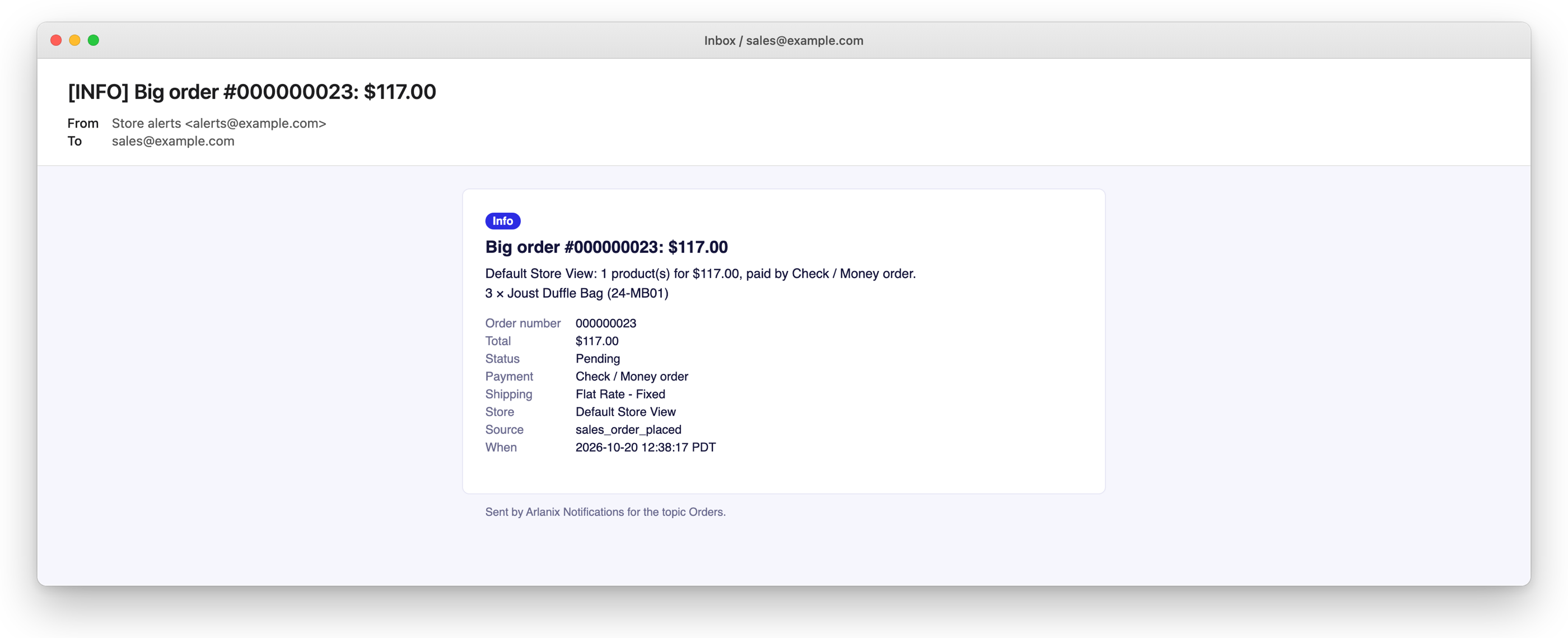
The email usually arrives within a minute. Your first rule walks through these steps with a screenshot for each, in about ten minutes.
Other conditions work the same way. For example:
| Who should hear | Condition |
|---|---|
| Accounting, about bank transfers to expect | Payment method code is banktransfer |
| The wholesale team | Customer group is Wholesale |
| The sales team, about big orders | Grand total equals or greater than 100 |
Rule examples has more rules like these, ready to copy.
Orders in Slack, Telegram or Discord
The same topic can reach people in different places. Add a subscription to Orders for each of them:
- Slack: an incoming webhook of the channel. See Slack.
- Telegram: a bot that you make with BotFather and add to a chat or group. Find chats in the subscription form lists the chats the bot has heard from. See Telegram.
- Discord: a webhook of the channel. See Discord.
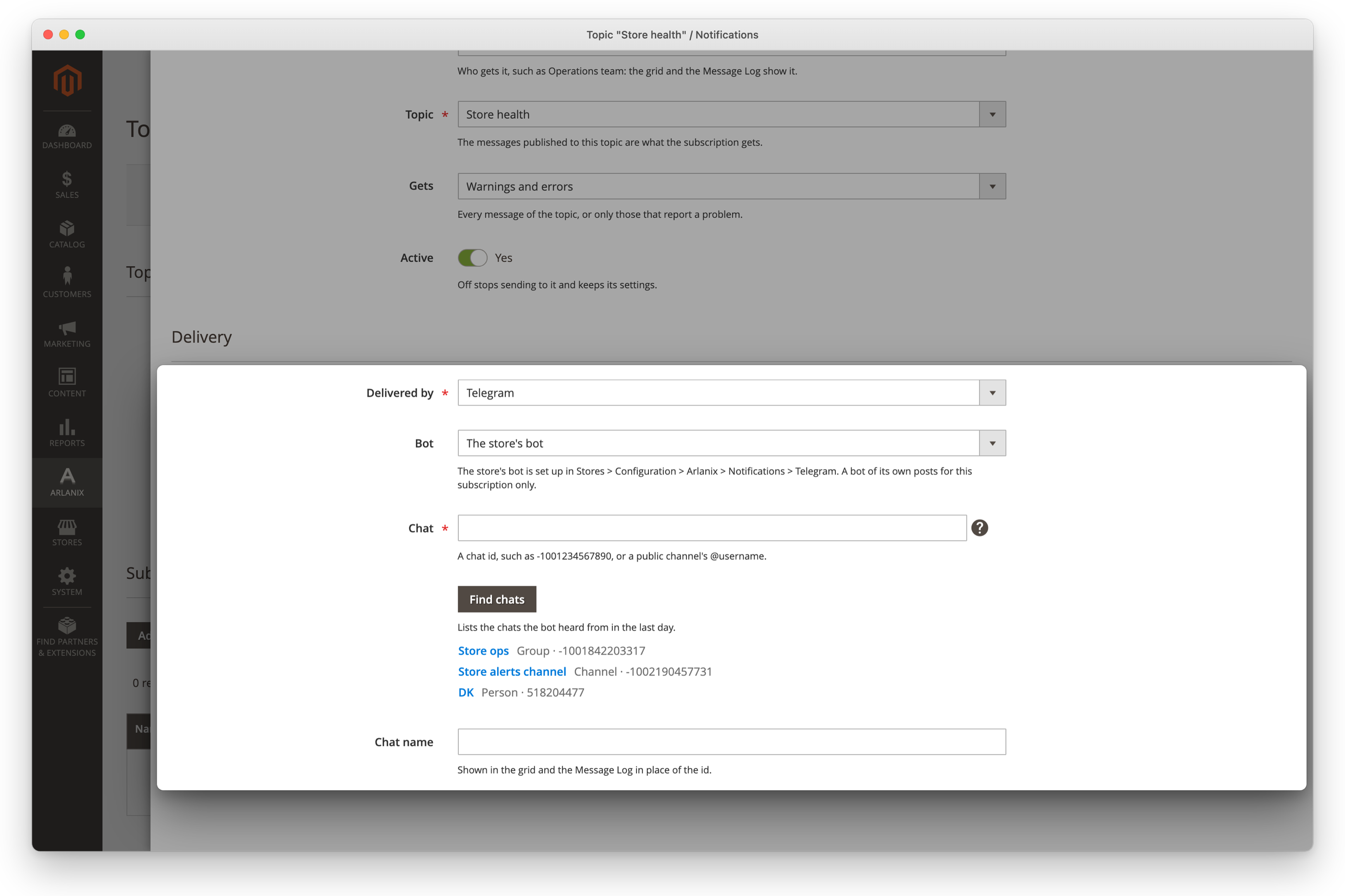
For example, the sales team gets big orders by email and the warehouse gets every order in its Telegram group. See Subscriptions.
When many orders come at once
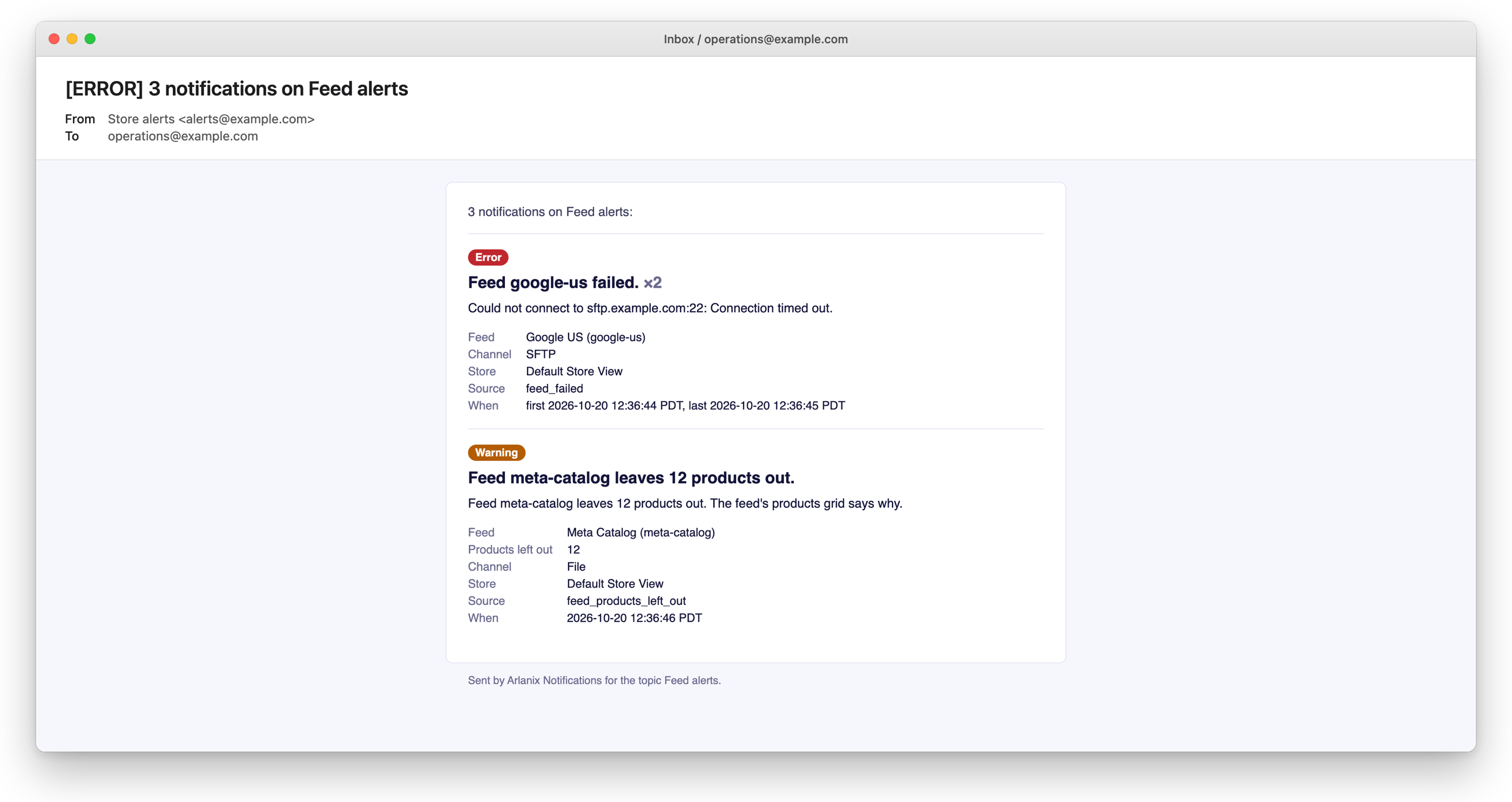
On a busy day, a message for every order can flood an inbox. When several messages wait for the same subscription, they are sent together as one email or one chat message, called a digest. A digest holds up to 25 messages, and a message that repeats shows once, with how many times it came.
Every message is kept in the Message Log: what was sent, to whom, and why a delivery failed. A delivery that fails is tried again after 1, 5, 15, 60 and 240 minutes.
Which one to choose
| Order email copy | A notification rule | |
|---|---|---|
| Which orders | All of them | Those that match the rule's conditions |
| Where | Email, Telegram, Slack or Discord | |
| What you read | The customer's order email | Your own subject, with the order's fields |
| Many orders at once | An email for each | Digests |
| Cost | Built into Magento | An extension from Adobe Commerce Marketplace |
If one person reads every order by email, Magento's copy is enough. If different people need different orders, or your team works in a chat, a rule does it. The rules also cover more than orders: refunds, reviews to moderate, a stopped cron, failed sign-ins to the admin. See Events.
Multichannel Store Notifications runs on Magento Open Source or Adobe Commerce 2.4.7 or later, with PHP 8.1 to 8.5 and a working cron.