After its first fetch of a feed, Google reviews every product, which takes from a few hours to a few days. Some products often come back disapproved, kept out of Shopping ads and free listings, or limited, shown less often. That rarely means the feed is broken: most reasons are a setting in Merchant Center or the Magento admin, and the rest are usually one field of the feed.
Find the products and the reason
In Merchant Center, Products marks the products that need attention, with the reason Google gives for each. Some reasons belong to the whole account and hold back every product until they are fixed; others belong to one product. Start with the account's.
Open a product and note its ID. If your feed sends the SKU as id, as most do, that is the product to look up in Magento.
Reasons in Merchant Center and on your site
Missing shipping information. Google does not read Magento's shipping methods under Stores > Configuration > Sales > Delivery Methods. Set the costs and delivery times again in Merchant Center, under Shipping and returns in its settings, for every country you sell to. A feed can carry shipping per product too, but one setting in Merchant Center covers the whole account. A return policy can be added there as well; Google does not require it.
Website not verified or not claimed. Merchant Center has to own your store's address before it shows its products. Its settings offer a tag in the page head, or an account you already have in Google Analytics or Search Console.
Misrepresentation. Google suspends stores it cannot trust: no way to reach the shop, no returns policy, no secure checkout. Magento installs a Privacy and Cookie Policy page and a contact form, but no page for shipping or returns. Write them under Content > Pages, link them from the footer, and keep an address, a phone number or an email on the site.
Missing GTIN, brand or MPN
Missing value [gtin] and Limited performance due to missing value mean Google expects a product identifier the feed does not send. Google wants the barcode in gtin when the product has one, and the brand with the maker's part number in mpn when it has none.
Magento 2.4.7 has no barcode attribute; it has Manufacturer, which most stores use for the brand. If you resell branded goods, make one: under Stores > Attributes > Product, click Add New Attribute, make it a Text Field called GTIN, add it to your attribute sets, and fill it in from the supplier's barcodes.
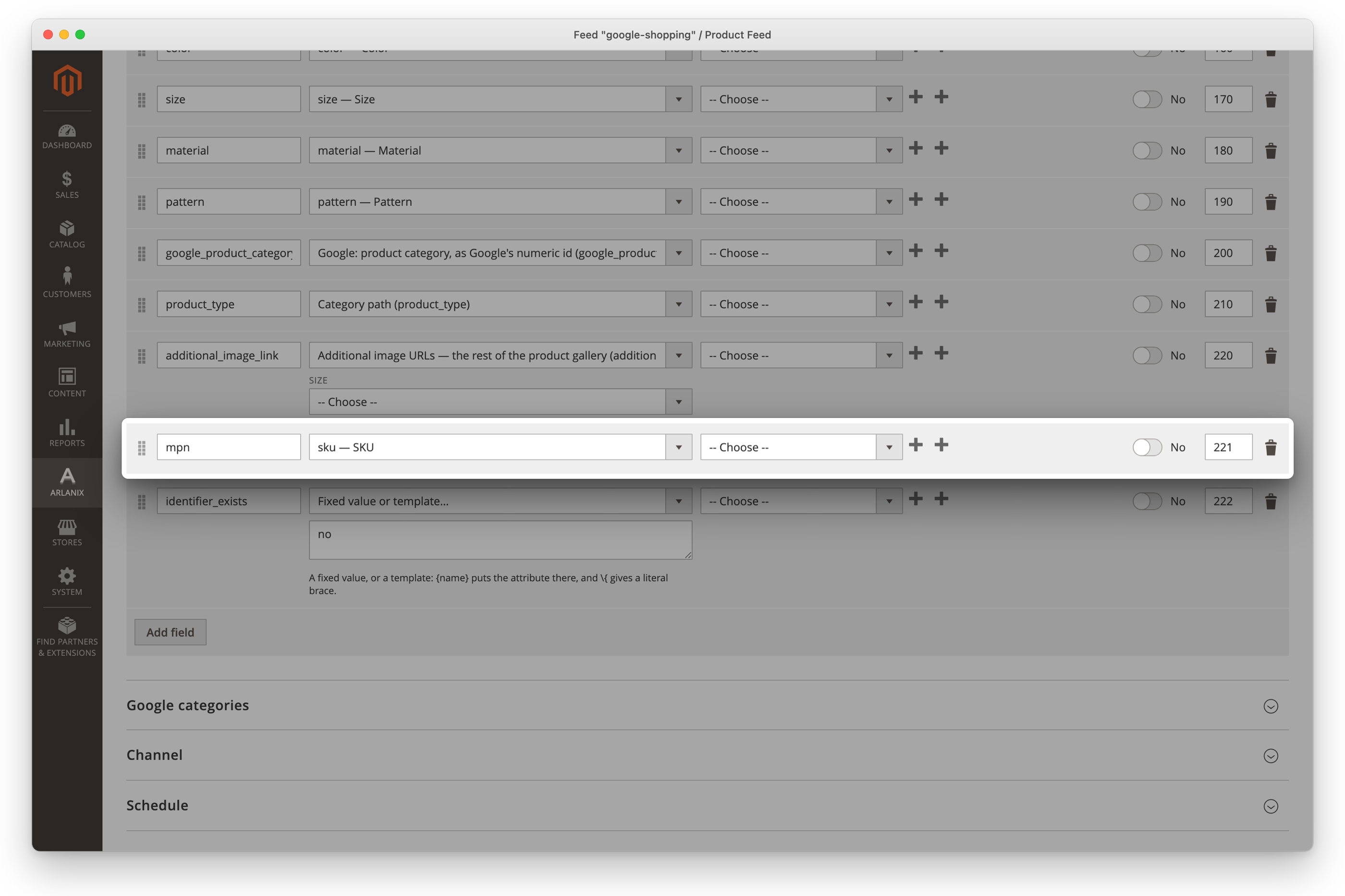
If you make the products yourself, you are the maker: your shop's name is the brand and your SKU is the part number. Only one-of-a-kind or made-to-order goods with no part number at all send identifier_exists set to no. Never send a made-up barcode, or N/A or Generic as the brand: Google checks barcodes against the brand that owns them.
In Arlanix Product Feed, add a gtin row in Mapping with the new attribute, or follow the own brand recipe, which adds mpn from the SKU.
A price that does not match the page
Google compares the price on the product page with the feed's, and disapproves the product when they differ. On a Magento store the difference usually comes from one of these:
- Tax. In the United States and Canada, the feed's price is without tax; in most other countries, with VAT or GST, as shoppers there see it. Magento shows prices as Stores > Configuration > Sales > Tax > Price Display Settings > Display Product Prices In Catalog says, and the feed has to send the same.
- Customer groups. Google visits as a guest, so it sees the price of NOT LOGGED IN, not a group price or catalog price rule that only signed-in customers get.
- Sales. A special price with dates, or a catalog price rule, lowers the price for a while. The feed should send the regular price as
priceand the reduced one assale_price. - Sizes at different prices. A configurable product sent as one row carries one price, and the page shows another once a size is chosen.
- Timing. A price changed at noon is not in a file Google fetched in the morning.
Google's automatic item updates, on by default under Products > Automations, correct some differences by reading the price from the page's structured data, which Magento's Luma theme provides. They help with a price changed since the fetch, not a feed that is wrong every day.
In the feed, Prices with tax follows the store view's display setting, and Prices for customer group starts at NOT LOGGED IN. The copied mapping sends a special price or a catalog price rule as sale_price while it lowers the price, and a special price's dates in sale_price_effective_date. A rule has no dates in the feed, so Google keeps its sale until the first run and fetch after it ends. For sizes, the sizes and colours recipe sends each variation with its own price.
Stock that does not match the page
A product that sells out after the feed's run is still in stock in the file until the next fetch, and Google marks the difference. Luma does not mark up stock for automatic item updates, so Google reads it from the page as best it can.
Google fetches a file at most once a day, so run the feed shortly before the fetch: at 03:00 for a fetch at 04:00. If stock changes faster than that, send the feed through the API channel, which sends a product to Google when its price or stock changes. Whether Display Out of Stock Products is on in Magento or not, the feed sends a product the store cannot sell as out of stock.
Images Google will not use
Google wants the product alone, on a plain picture: no text, price, logo or watermark over it, no placeholder, at least 100 × 100 pixels, or 250 × 250 for clothes. From 31 January 2027 it wants 500 × 500 for every product, and Merchant Center already warns about smaller pictures. Upload pictures of 500 × 500 or more now.
Magento's own watermark, under Content > Design > Configuration > Product Image Watermarks, is drawn only on the resized copies the storefront shows. The copied image_link row sends the picture as you uploaded it, so that watermark does not reach Google; if you change the row to one of the theme's image sizes, it does. A product with no picture gets Magento's placeholder on the storefront; the feed leaves it out instead.
A page Google cannot open
Unavailable desktop landing page and Page not found mean Google could not open the product's link. On a Magento store, look for:
- the store in maintenance mode, which answers every visitor but your own IP addresses with an error;
- a store behind a password, as staging stores often are;
robots.txt, under Content > Design > Configuration > Search Engine Robots > Edit custom instruction of robots.txt File, which must letGooglebotandGooglebot-imagein;- a product disabled or removed from the website after the feed ran.
Check a fix before Google does
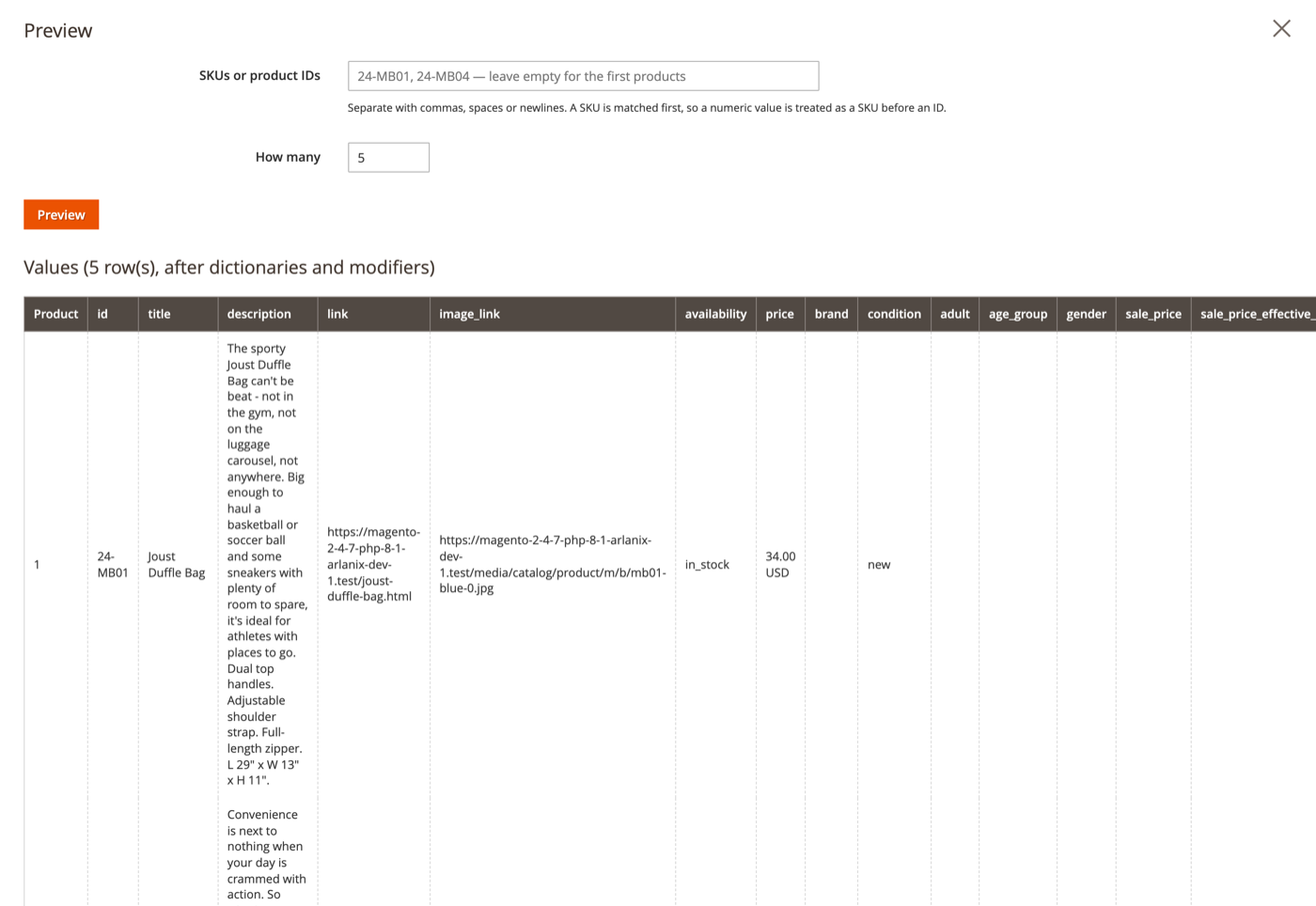
The feed shows what Google will read before Google reads it. Save your change, click Preview at the top of the feed's page, and type the SKU from Merchant Center into SKUs or product IDs: the row shows every field exactly as the file will carry it. A product that has nothing for a required field never reaches Google; Details under Health in the feed grid lists such products, with the reason for each. A feed on the API channel also counts the products Google refused, and the count opens them with Google's reason. Run and check a feed has the details.
A fix in a file feed reaches Google with the feed's next run and Google's next fetch. To hurry it, run the feed with Generate, or Deliver to SFTP for an SFTP feed, then open the data source in Merchant Center and press Update to fetch it now. A feed on the API channel sends the changed products by itself. Google then reviews them again, which can take another day.
Where each reason is fixed
| Google says | Fix it in |
|---|---|
| Missing shipping information | Merchant Center, Shipping and returns |
| Website not verified or not claimed | Merchant Center, with a tag or Search Console |
| Misrepresentation | Your store's pages: contact, shipping, returns |
| Missing GTIN, brand or MPN | A barcode attribute in Magento, and the feed's mapping |
| Mismatched price | Magento's tax display, the feed's price settings, its schedule |
| Mismatched availability | The feed's schedule, or the API channel |
| Image too small or with an overlay | The product's pictures in Magento |
| Landing page unavailable | Maintenance mode, a password, robots.txt |
When Google rejects products in the manual has the same list for the feed's own settings. If you have not made the feed yet, Magento 2 Google Shopping Feed: Set Up Merchant Center starts from there.