For arlanix/notification 1.0.1
How a notification is delivered
From the store to a subscriber
A message goes through three steps:
- Published. A module publishes a message to a topic. A rule does the same when its event happens and its conditions are met. If the topic is muted, the module drops the message. Otherwise, it saves the message in the Message Log. It also creates one delivery for each active subscription of the topic that gets messages of this severity.
- Queued. Each delivery goes on the store's message queue. The module that published the message continues its work right away. So a slow mail server never delays a product feed or an order.
- Sent. A background process, the queue consumer, takes the deliveries from the queue, usually within a minute. It sends each delivery the way its subscription says: by email, to Telegram, to Slack or to Discord.
A rule publishes its message only after the store has saved the order, customer or other record that the event is about. So if a checkout fails and the order is not saved, no message is sent about it.
Digests
The queue consumer takes the waiting deliveries in batches. When several messages wait for the same subscription, it sends them together as one email or one chat message. This combined message is a digest.
A digest holds up to 25 different messages. For example, if 30 product feeds fail at once, the subscriber gets two emails: one with 25 messages and one with 5.
When the same message is published several times, the digest shows it only once. It also shows how many times the message was published, and when it was published first and last. A message that waits alone is sent on its own.
A chat message has a length limit. When a digest does not fit, the chat message ends with a line that says how many more messages are in the Message Log.
When a delivery fails
A delivery fails when the mail server, Telegram, Slack or Discord does not answer or refuses the message. The module then tries again after 1 minute, then after 5, 15, 60 and 240 minutes. That makes six attempts over about five hours. When the last attempt fails, the delivery's status becomes Failed.
A failed delivery stays Failed until you click Retry now on the message's page. The module then sends it again within about a minute. If it fails again, the module starts the full schedule of attempts again.
The module tries each subscription separately. If one address fails, the other subscriptions still get their messages.
The Last delivery column of the Subscriptions grid shows how each subscription's last delivery went, and what the server replied. Sometimes a server refuses a digest after some messages were already sent. Then the column shows how many were sent, for example Sent 25 notification(s), then failed: ….
Telegram, Slack or Discord may reply that too many messages went to a chat at once, and say how long to wait. This is not a failure. The remaining messages wait for that time, one hour at most, and are then sent. During the first day after a message is published, this waiting does not use any of its six attempts. If some messages were sent before the wait, Last delivery shows how many, for example Sent 25 notification(s), and the rest wait: ….
Some deliveries cannot be sent at all. For example, email is switched off in Magento, or Telegram has no bot set up. Such a delivery fails before the module tries to send it, and the error says what is missing. The module retries it on the same schedule as any other failure, and it becomes Failed after the last attempt. Set up what is missing, then click Retry now.
When nothing is sent
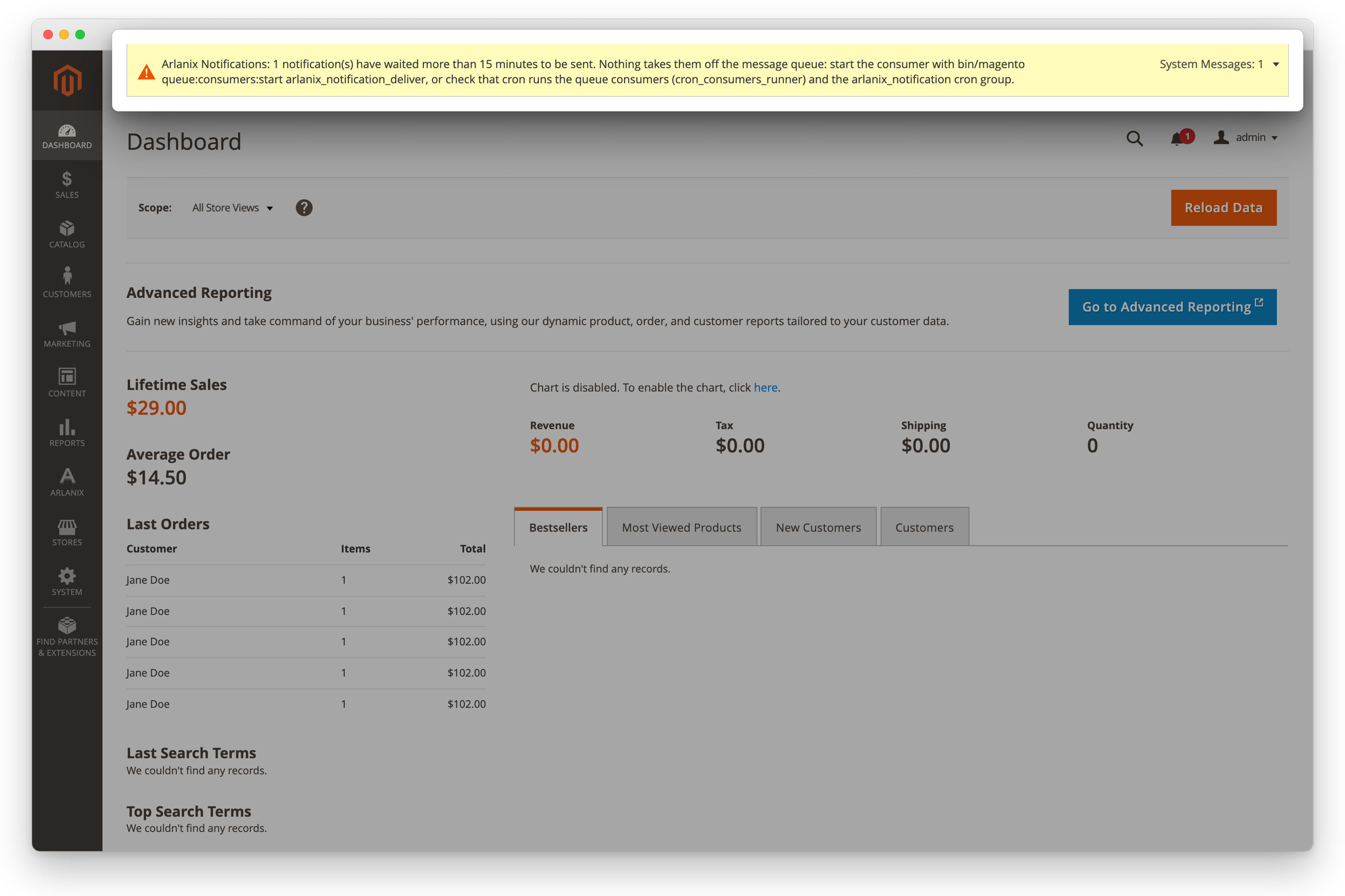
If deliveries wait on the queue for more than 15 minutes, the queue consumer is not running, and nothing takes them off the queue. The admin then shows a warning at the top of every page until the deliveries are sent. Send this warning to your developer, and see Troubleshooting. You can change the 15 minutes in Warn when a notification waits longer than (minutes): see Screens and fields.
Messages sent at once
The Cron stopped message from Monitoring does not go through the queue. The module sends it right away, because the queue depends on cron, and cron is what stopped.
Message order
Several queue consumers can run at the same time, so a busy store sends messages faster. Because of this, messages can arrive in a different order than they were published. Each message shows when it was published.