For arlanix/product-feed 1.0.0
Configuration
This page is for the developer who sets up an environment or deploys the store's configuration. It lists every setting the Arlanix modules read, and shows how to fix one in app/etc/env.php. The settings of a feed itself, such as its schedule, channel, taxonomy locale or default Google category, are in the feed form, not here; see the manual.
Settings
Each is set once for the whole installation. Those with an admin field are under Stores → Configuration → Arlanix.
| Path | Default | Admin field | What it does |
|---|---|---|---|
arlanix_feed/schedule/run_history_days |
30 |
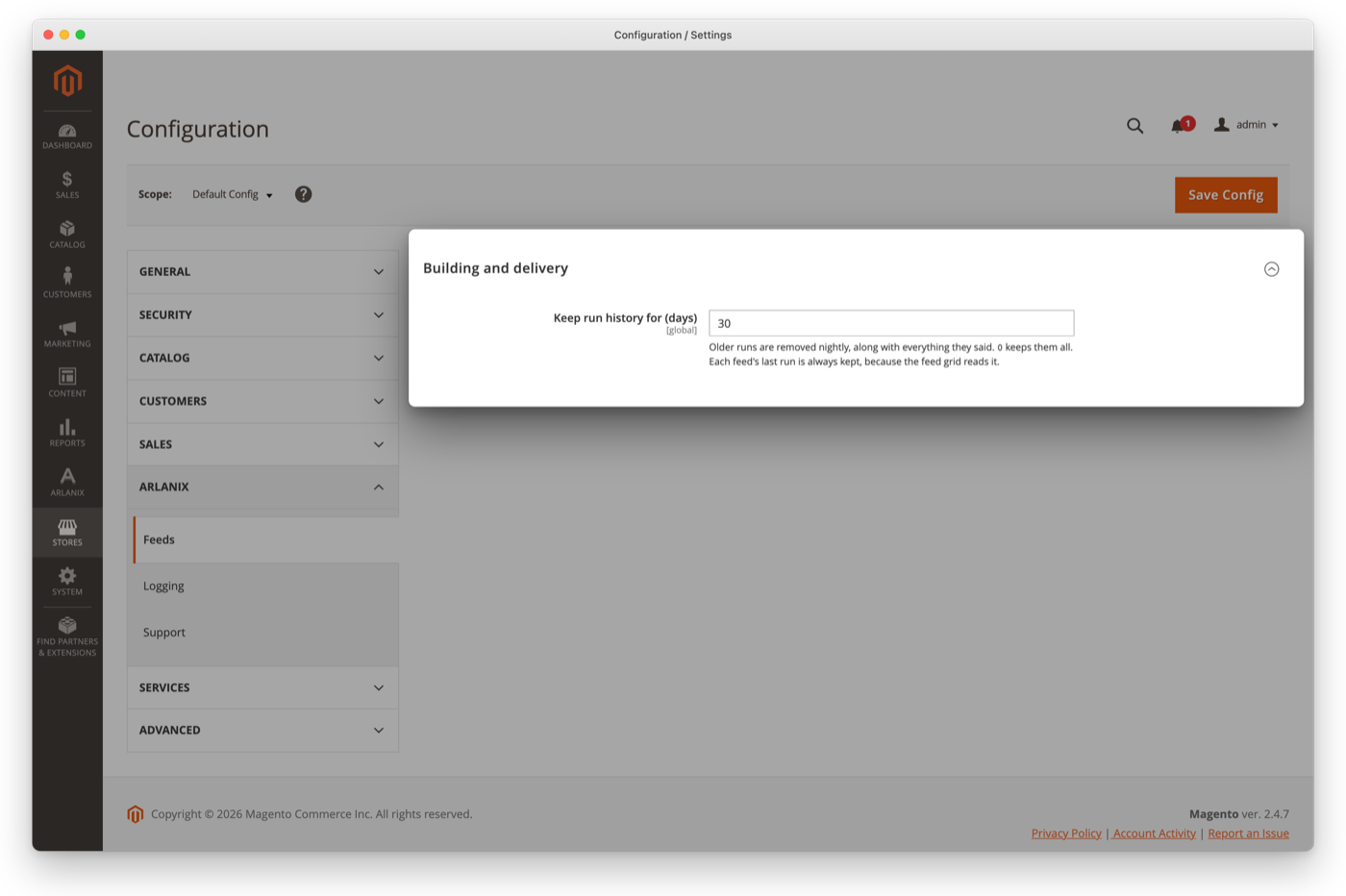
Feeds → Building and delivery → Keep run history for (days) | How long the arlanix_feed_clean_runs job keeps runs. 0 keeps every run. Each feed's last run is always kept, because the grid reads it. |
arlanix_feed/schedule/stuck_after |
30 |
None | Minutes a run may go without reporting progress before it is marked Stopped responding. At least 5; a lower value counts as 5. |
arlanix_logging/log/level |
debug |
Logging → Log → Log level | The least severe messages written to var/log/arlanix.log; see Log level. |
arlanix_feed_sftp/transfer/connect_timeout |
10 |
None | Seconds an SFTP delivery may take to reach the server, agree the keys and log in. |
arlanix_feed_sftp/transfer/response_timeout |
30 |
None | Seconds an SFTP server may take to answer any one request once logged in. |
arlanix_feed_sftp/transfer/minimum_speed |
50 |
None | KB a second an SFTP upload must average. A file is given its size at this speed, and at least a minute. |
arlanix_feed_google_merchant/api/connect_timeout |
5 |
None | Seconds a Merchant API call may take to reach Google. |
arlanix_feed_google_merchant/api/request_timeout |
20 |
None | Seconds Google may take to answer one Merchant API call. |
What the SFTP and Merchant API limits do when they are hit is on their own pages: see When the server is slow or down and When Google refuses the account, or does not answer.
Set a value for an environment
A setting with no admin field can be set only in app/etc/env.php: bin/magento config:set refuses a path that no admin field declares. A setting with an admin field can be set there too, which fixes it for that environment and locks the field in the admin.
To set a value in app/etc/env.php:
Add the path to the
systemsection, underdefault. For example, to give slow SFTP servers more time:'system' => [ 'default' => [ 'arlanix_feed_sftp' => [ 'transfer' => ['minimum_speed' => 20], ], ], ],Make Magento read the changed file:
bin/magento app:config:importUntil you run it, every admin and storefront page answers The configuration file has changed.
A setting with an admin field can also be written to app/etc/env.php from the command line:
bin/magento config:set --lock-env arlanix_logging/log/level error
Afterwards the field in the admin shows the value from env.php, and both the field and its Use system value checkbox are greyed out, so it cannot be changed there.
Log level
The modules log to var/log/arlanix.log. The store sets the level under Stores → Configuration → Arlanix → Logging (see Log level in the manual); it is debug, everything, until changed. The support bundle reports the level, where it is set, and the size and last write of the file.
The level is one of debug, info, notice, warning, error, critical, alert or emergency. An unknown value counts as debug, so a typo never silences the log. To fix the level for an environment, set arlanix_logging/log/level as shown in Set a value for an environment:
'system' => [
    'default' => [
        'arlanix_logging' => [
            'log' => ['level' => 'error'],
        ],
    ],
],
What the cron jobs write to the log, and what each line means, is in The log.