For arlanix/api-monitor 1.0.1
Configuration
Open Stores > Configuration > Arlanix > API Monitor at default scope. Settings apply to all stores.
General
Append each key to arlanix_api_monitor/general/; for example, arlanix_api_monitor/general/sample_percent:
| Admin label | Key | Default | Range or format |
|---|---|---|---|
| Enabled | enabled |
1 | 0/1 (No/Yes) |
| Requests to sample (%) | sample_percent |
100 | 0 to 100 |
| Log retention (days) | retention_days |
30 | 1 to 3,650 days |
| Detect anomalies | anomalies |
1 | 0/1 (No/Yes) |
| Additional sensitive field names | extra_sensitive_keys |
Empty | Comma-separated names |
Advanced
Append each key to arlanix_api_monitor/advanced/:
Capture
| Admin label | Key | Default | Range or format |
|---|---|---|---|
| Maximum bytes per body | max_body_bytes |
65536 | 0 to 1,048,576 bytes |
| Always log errors | always_errors |
1 | 0/1 (No/Yes) |
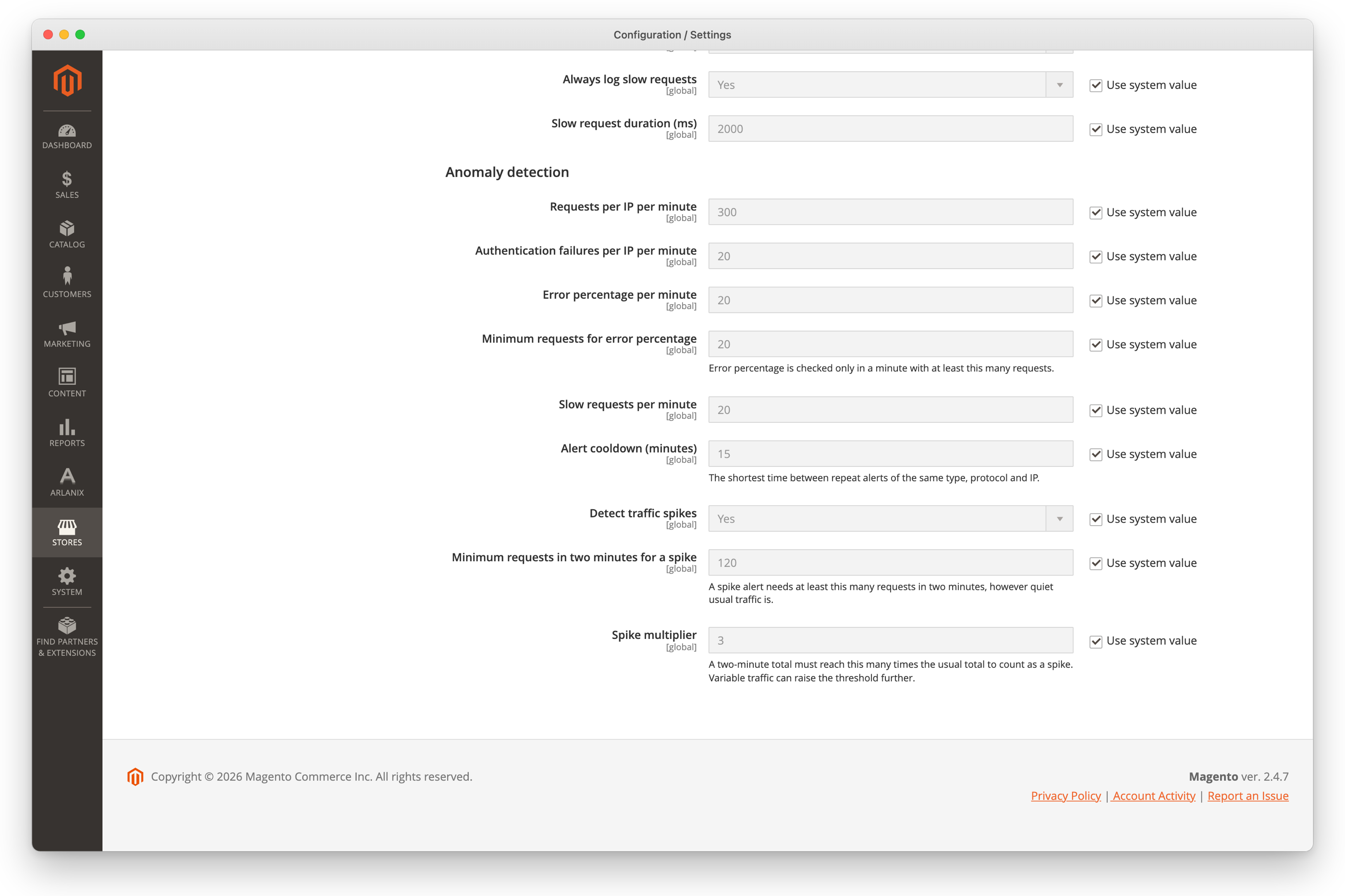
| Always log slow requests | always_slow |
1 | 0/1 (No/Yes) |
| Slow request duration (ms) | slow_ms |
2000 | 1 to 3,600,000 ms |
Anomaly detection
| Admin label | Key | Default | Range or format |
|---|---|---|---|
| Requests per IP per minute | requests_threshold |
300 | 1 to 100,000,000 |
| Authentication failures per IP per minute | auth_threshold |
20 | 1 to 100,000,000 |
| Error percentage per minute | error_percent |
20 | 1 to 100 |
| Minimum requests for error percentage | minimum_requests |
20 | 1 to 100,000,000 |
| Slow requests per minute | slow_threshold |
20 | 1 to 100,000,000 |
| Alert cooldown (minutes) | cooldown_minutes |
15 | 1 to 1,440 minutes |
| Detect traffic spikes | spike_detection |
1 | 0/1 (No/Yes) |
| Minimum requests in two minutes for a spike | spike_floor |
120 | 1 to 100,000,000 |
| Spike multiplier | spike_multiplier |
3 | 2 to 100 |
Blank or non-numeric values use defaults. Numbers outside their range move to the nearest limit. Admin numeric fields require values within these ranges.
Change a setting
To change sampling from the command line, run:
bin/magento config:set arlanix_api_monitor/general/sample_percent 10
bin/magento cache:clean config
Change locked settings through your store's deployment process.
Interactions
Enabled error and slow-request exceptions override sampling, even at 0%. slow_ms applies to both slow capture and counters. A zero body limit omits non-empty bodies.
enabled=0 stops capture and counters; anomalies=0 stops counters while details can still be saved. spike_detection=0 stops spike detection. See Cron and cleanup for disabled periods and Anomalies for threshold meanings.
See Sanitisation and Retention for their rules.